
You must create an OAuth token that will be used for API requests. After you have created an OAuth client with a client ID and client secret, use the Keycloak services to create an OAuth toke, see Setup Postman for OAuth 2.0
You can get the secret from:
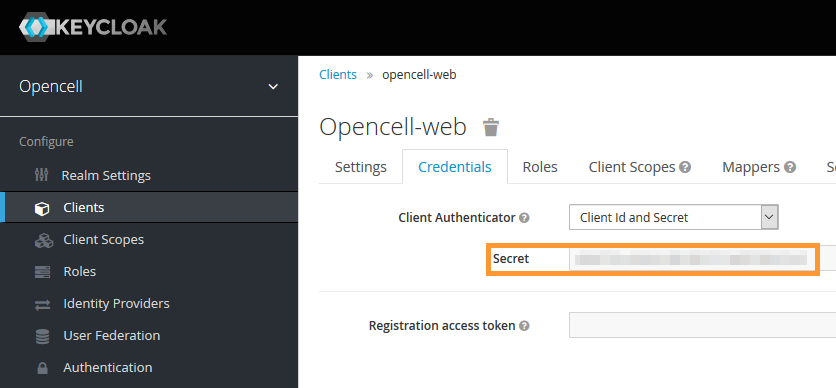
From this, you can replace based on the above example:
-
client_id: Opencell-web
-
client_secret : the secret above
-
username and password: the service account to access opencell
curl --location --request POST 'https://{{opencell.base}}/auth/realms/opencell/protocol/openid-connect/token' \
        --header 'Content-Type: application/x-www-form-urlencoded' \
        --data-urlencode 'client_id={{client.id}}' \
        --data-urlencode 'client_secret={{client.secret}}' \
        --data-urlencode 'username={{username}}' \
        --data-urlencode 'password={{password}}' \
        --data-urlencode 'grant_type=password'
If it is successfull, you will get something like this:
JSON
{"access_token":"eyJhbGc...","scope":"profile group_membership email"}
NB: You can try to see the content by decoding it online on a service such as: https://jwt.io/