
Customer Hierarchy
The Customer hierarchy page provides a structured view of customer entities and their relationships within Opencell.
Starting with version 18.0.0, the customer management interface introduces a configurable hierarchy display. This allows administrators to define how customer-related entities are displayed when users access the Customer hierarchy section.
The hierarchy is composed of four levels:
-
Customer (C) – represents the main customer entity.
-
Paying Account (PA) – represents the financial entity responsible for payments. (named as Customer Account (CA) previously)
-
Billing Account (BA) – represents the billing entity used for invoicing.
-
User Account (UA) – represents the service consumption level associated with subscriptions.
These entities are linked in a hierarchical structure.
Typical hierarchy:
Customer → Paying Account → Billing Account → User Account
Customer Hierarchy Views
Depending on the system configuration, here Account hierarchy, the Customer hierarchy page may open in different views.
Two display modes are available:
-
Hierarchical Tree View
-
Flat List View
The default view is determined by the Customer Hierarchy display settings configured by the administrator.
Hierarchical Tree View
The Hierarchical Tree View displays the complete hierarchy of customer entities in a structured expandable table.
Each row can be expanded to reveal the child entities belonging to the selected parent.
Example:
-
Expanding a Customer displays its Paying Accounts
-
Expanding a Paying Account displays its Billing Accounts
-
Expanding a Billing Account displays its User Accounts
This view provides a complete overview of the relationships between entities.
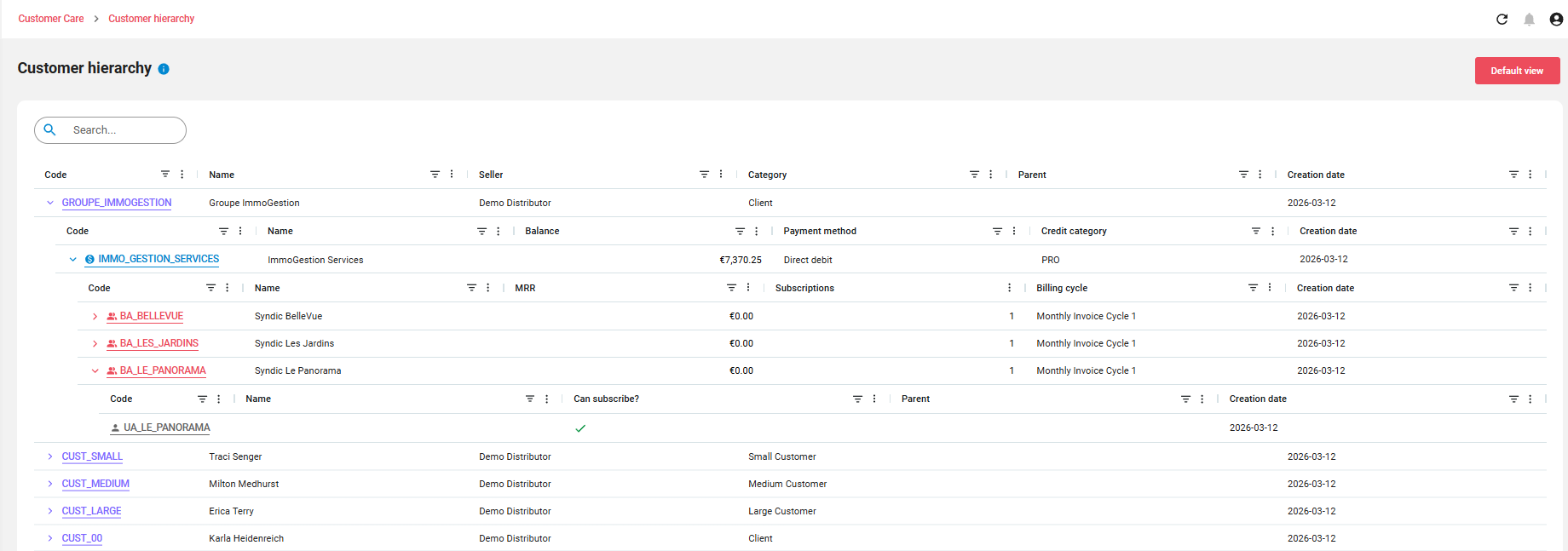
Key characteristics:
-
Multi-level expandable structure
-
Direct navigation between hierarchy levels
-
Consolidated overview of customer relationships
Users can click on any entity to open its detailed page.
Flat List View
The Flat List View displays entities as a standard table without hierarchical nesting.
Each list shows entities belonging to a single level of the hierarchy.
For example:
-
Customer list
-
Paying Account list
-
Billing Account list
-
User Account list
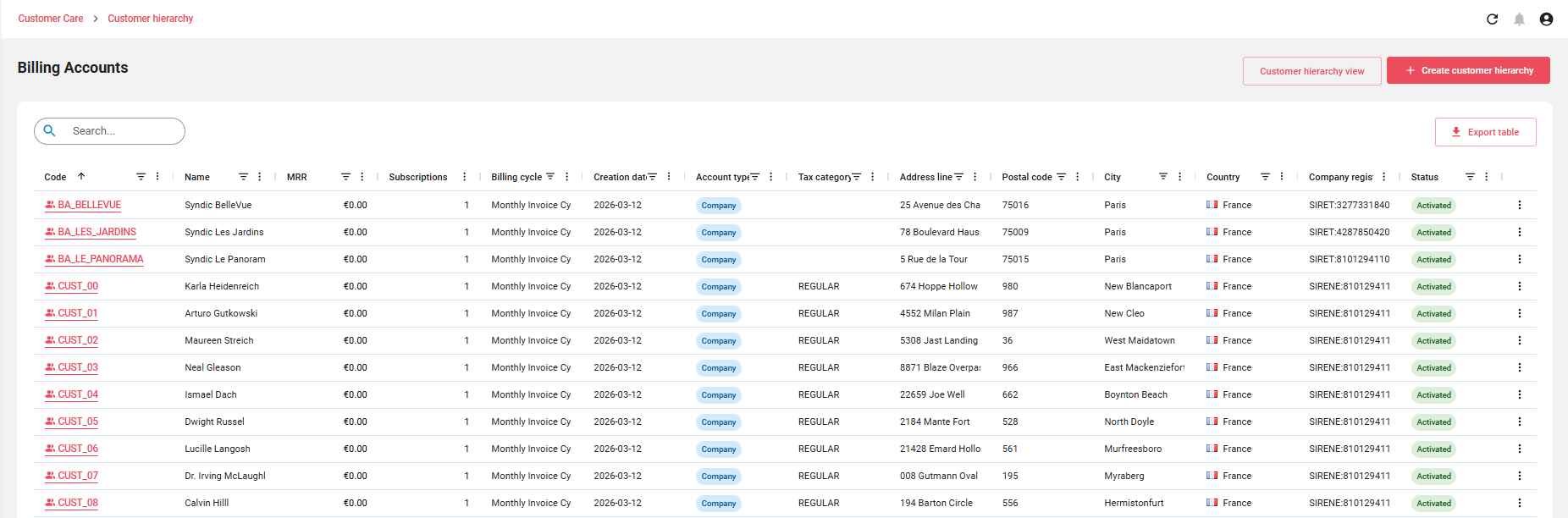
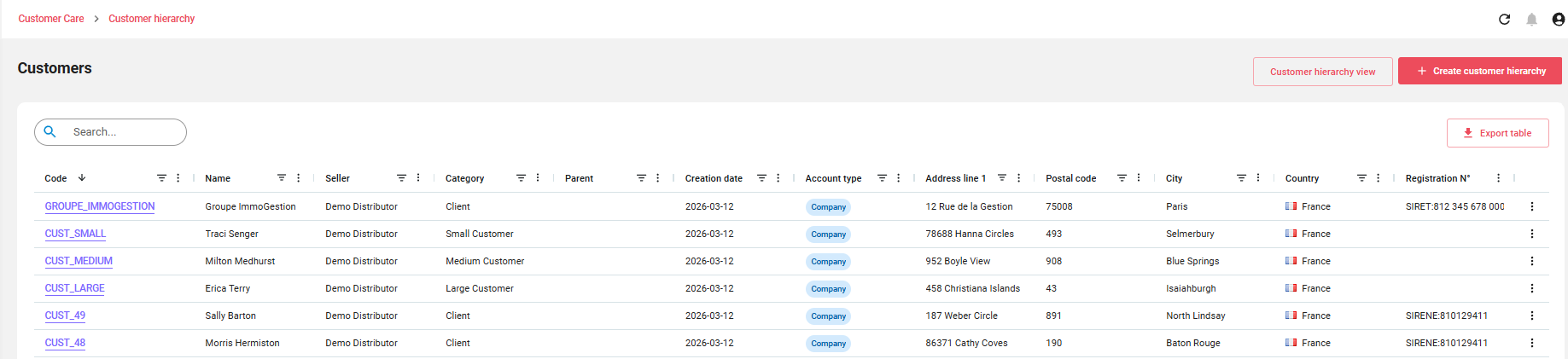
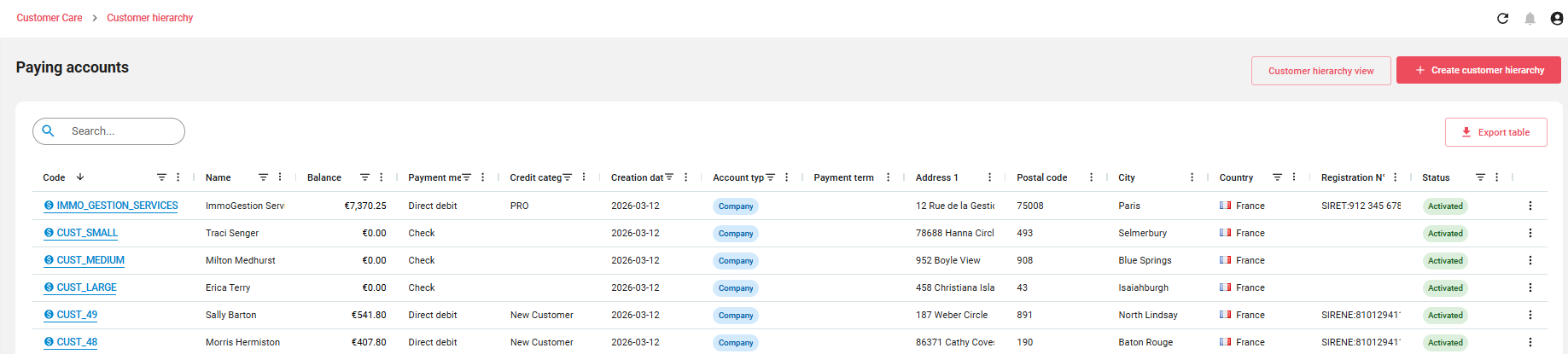
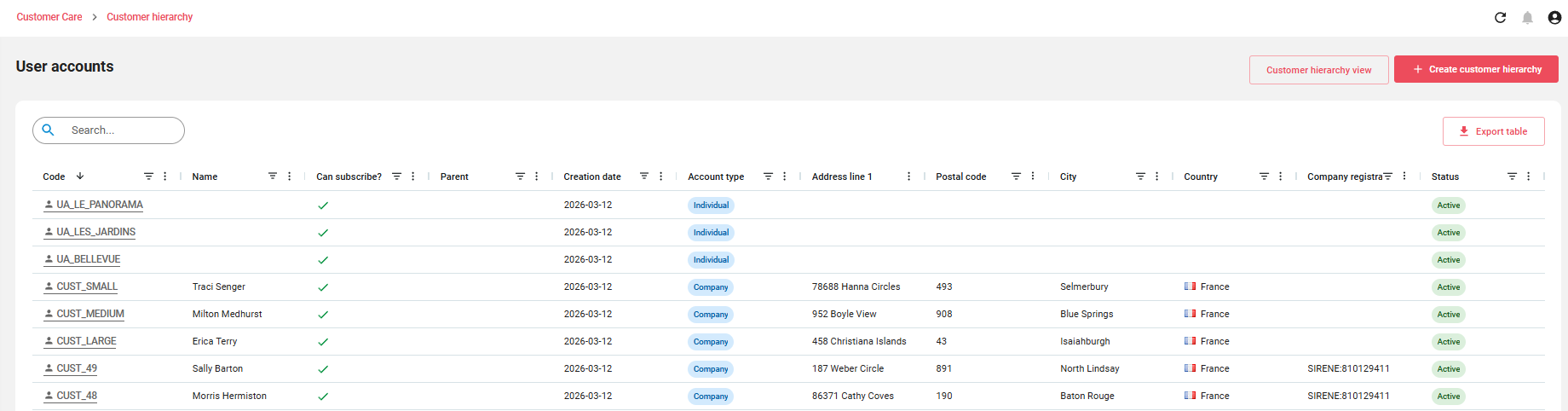
This view is particularly useful for:
-
Searching entities
-
Sorting and filtering records
-
Performing administrative operations on a specific entity type
For backward compatibility, the default configuration in Opencell displays the Billing Account list, which matches the behavior of previous versions.
This ensures that existing users experience no change in their daily workflow.
Switching Between Views
Users can switch between the available views using the navigation controls available on the page.
For example:
-
From the Billing Accounts list, users can switch to the Customer hierarchy view.
-
From the Hierarchy view, users can navigate to specific entity lists.
This flexibility allows users to choose the most appropriate visualization depending on their task.