
Opencell portal allows you to view invoices.
Invoices can be accessed through different path, and a number of options are available on invoices.
This page discusses these items.
Invoice lists
We have 2 invoice lists:
-
an invoice list on the customer details
-
a global invoice list
Customer invoice list
On the customer details page (Customer Care application), the lower tab section shows an “invoices” tab.
There you can view the list of that customer’s invoices.
Clicking on an invoice will open the invoice details.
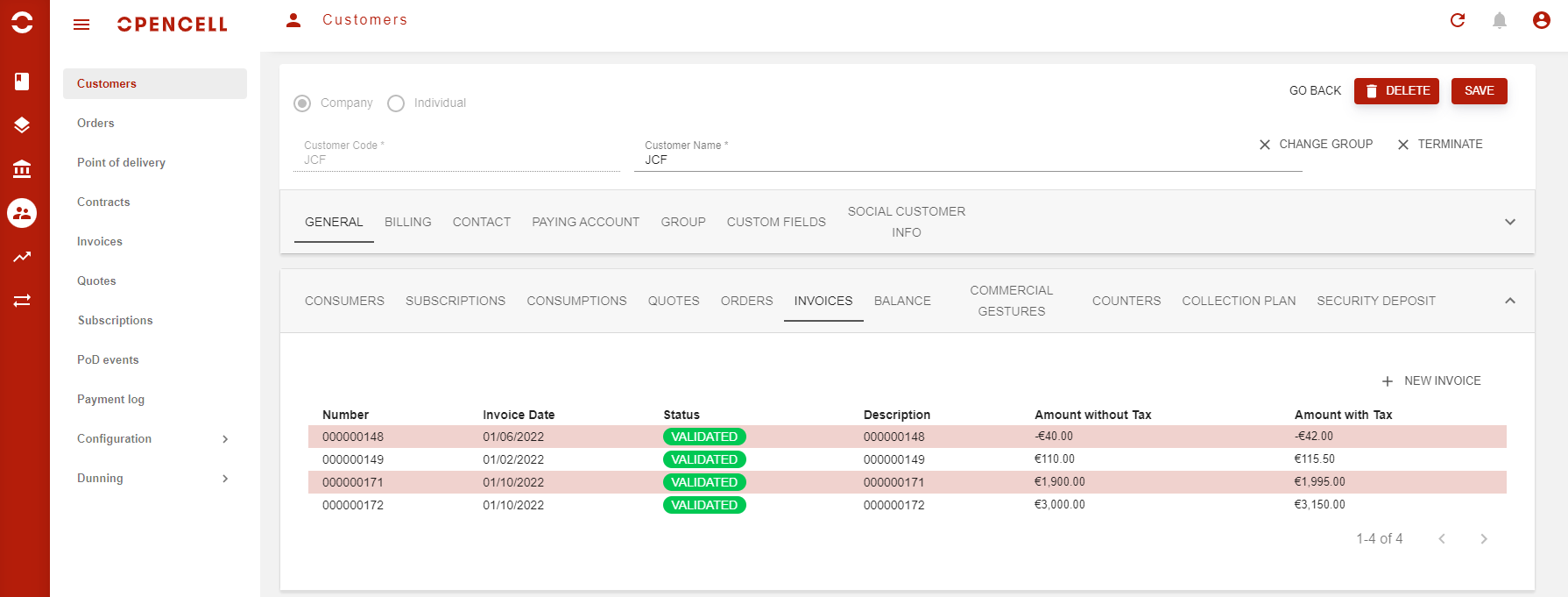
Actions on customer invoice list
-
View invoice: clicking on an invoice brings up the details for that invoice.
-
Create manual invoice / Debit note: as you can see on the screenshot above, from this list, you can also create a new manual invoice for the customer.