
A seller is an entity that can have one or no parent (such as a sales organisation).
It has a legal existence in one country, have a VAT number, a registration number, a currency and address.
Those mandatory elements are required for generating the invoices.
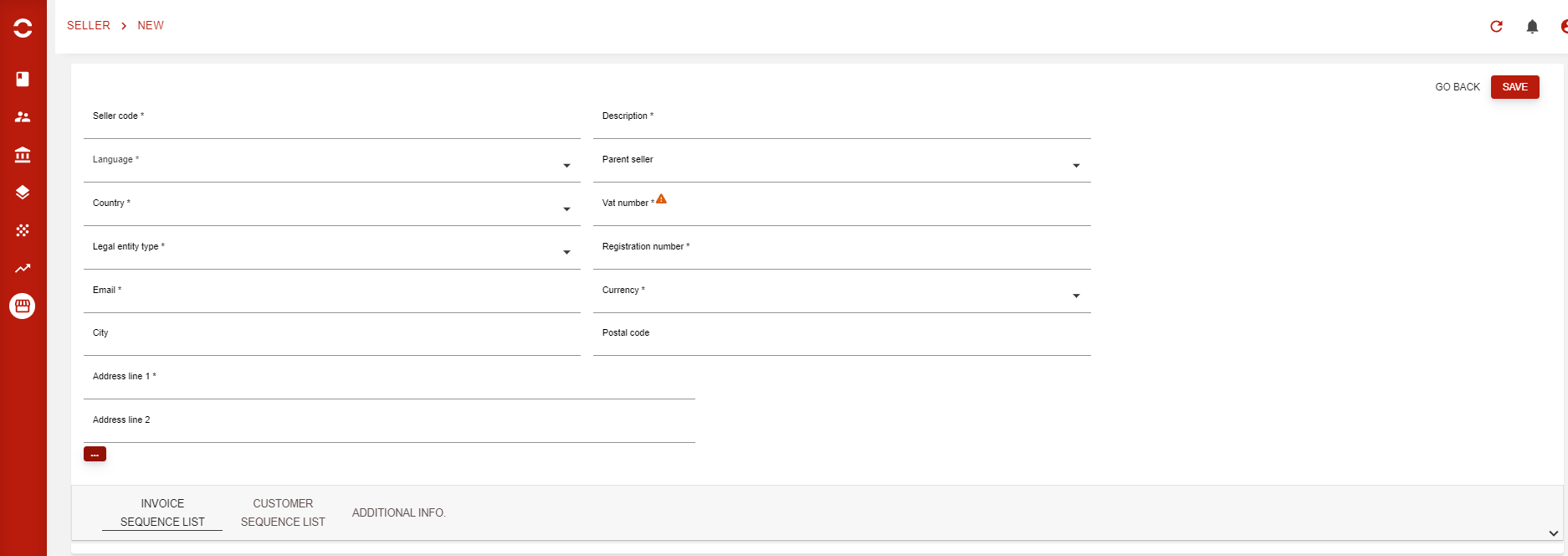
Creating a seller
-
From the Sellers list, click Create. The page Create a new seller opens.
-
In Fill in seller information, enter the Name, Code, Address line 1, Address line 2, City, Postal code and Country.
-
In Fill in seller settings, choose the Language and the Currency.
-
In Fill in seller company information, choose the Company type and enter the VAT number: an indicator shows whether it is valid. Then add the seller's registrations, each with its Identification type and Registration number.
-
In Fill in seller contact information, enter the Email.
-
In Fill in payment information, enter the seller's bank account under Payment method information (IBAN and Bank name), and a payment delay under Payment delay information (Due date delay).
-
In Fill in payee mandate sequence, set the seller's own payee mandate sequence: Prefix, Sequence size and Current sequence number.
-
In Custom fields, fill in the custom fields defined for sellers, if any.
-
Click Save and create seller. Back without saving leaves the page without creating the seller.
This page replaces the former seller creation screen shown above. The seller's details are then shown on its page: see Sellers and, for what each field holds, Seller.
Invoice sequence list
A seller can have its own invoice sequence on one or another invoice type.
If no invoice list is defined, then this is the default seller one that will be used.

Here is an example of a seller that will prefix his invoices with BESTSELLER for the Invoice, credit note (ADJ) and quotes:

Customer sequence list
A seller can have its own sequence to be used on a script or any integration.

Here you can define its code, prefix and sequence size:
