The mass adjustment screen allows you to generate in batch Credit not / ADjustments based on fine grained criterias.
List and filter
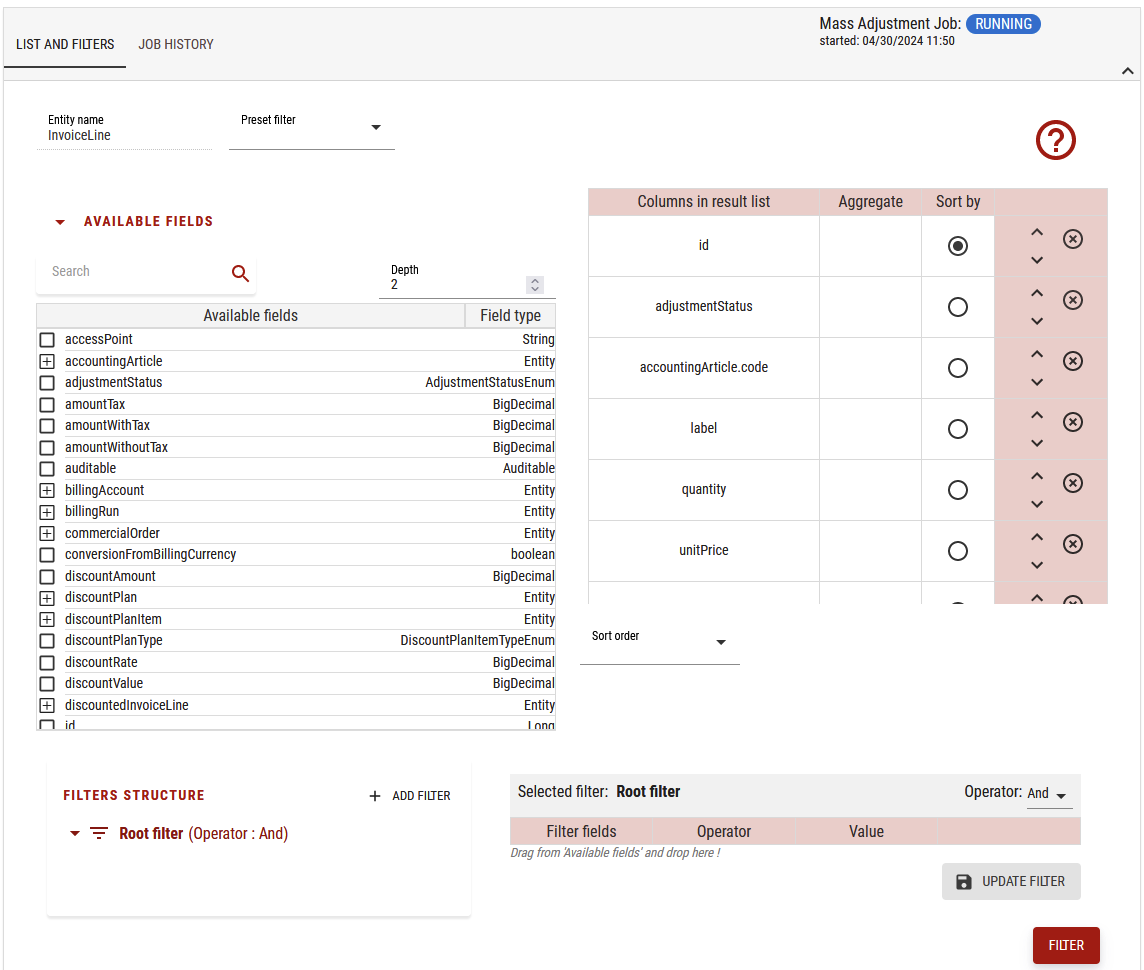
For this critical operation, you can either select invoice by invoice in the list or define fine grained filters.
You can define also aggregation criterias, sort order of the below display in the higher part of the screen:
When you click on filter button, this will apply on the below part:
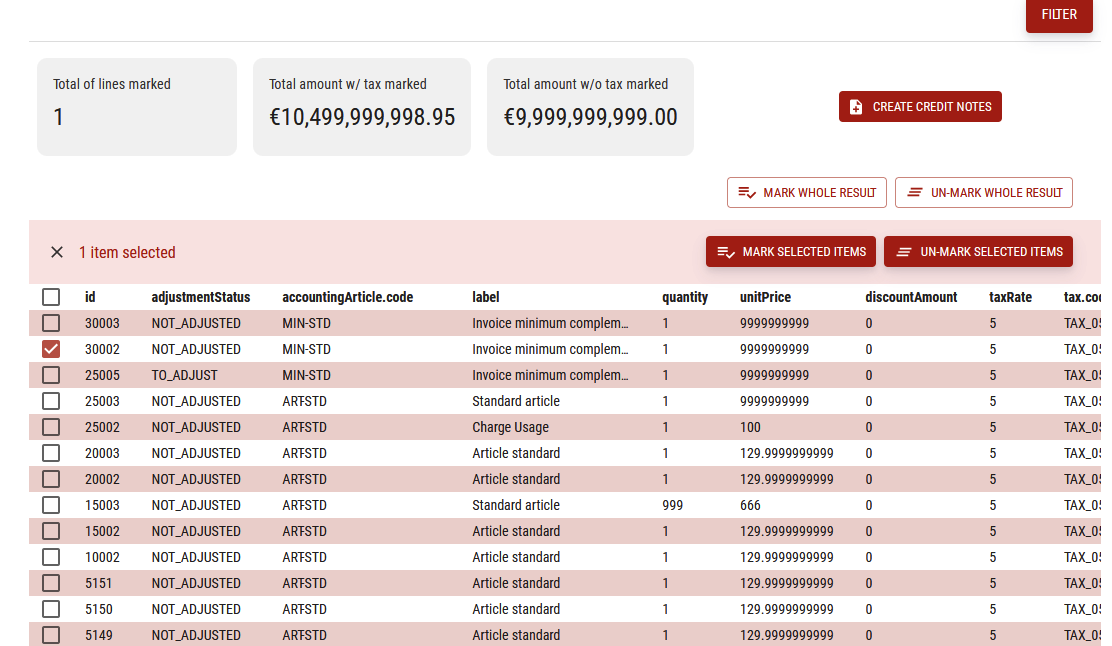
In this part, you can select one or many lines, and then mark them to rerate or not:

If you click on “Mark selected items” button, it will update the KPI of operations to process as below:
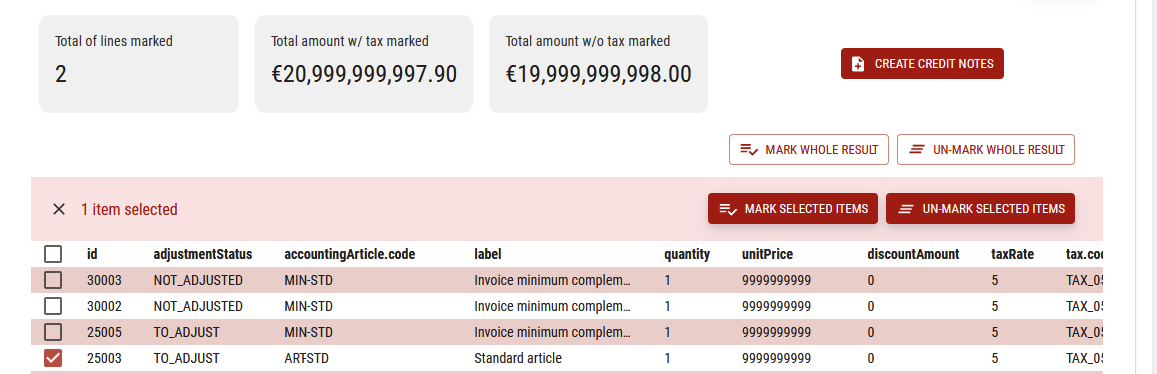
Then, if you decide to create the credit notes, click on the button having this description, it will display:
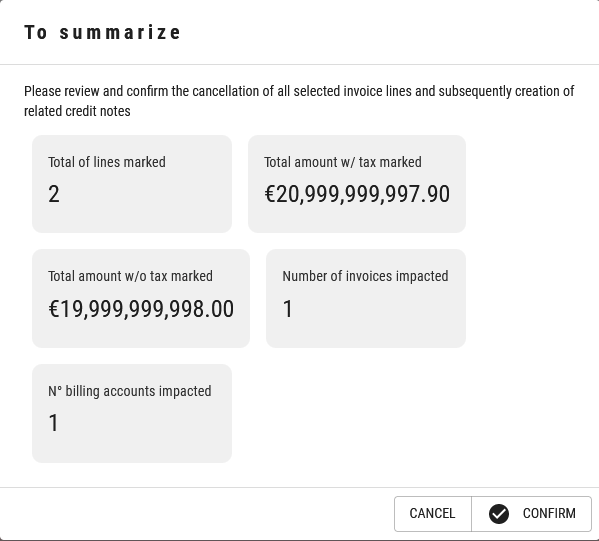
If you confirm, this will automatically run the batch generation job, you will see this in the upper right part as it is running:

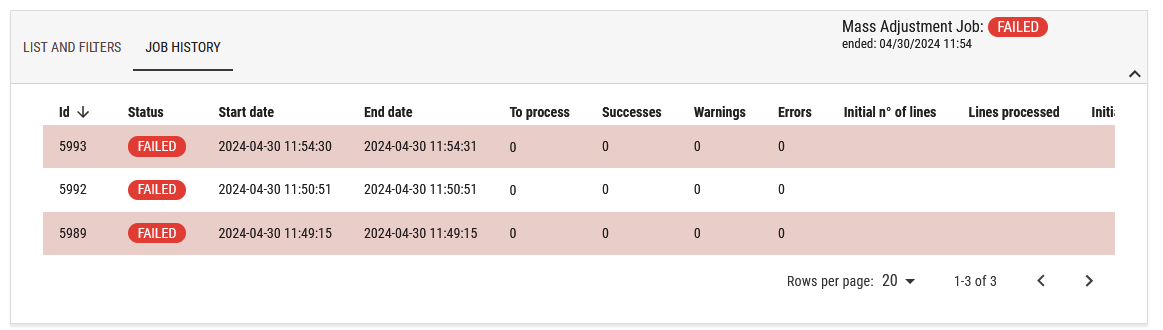
Job history
In this tab, you can see the rerate job history and the last statuses: