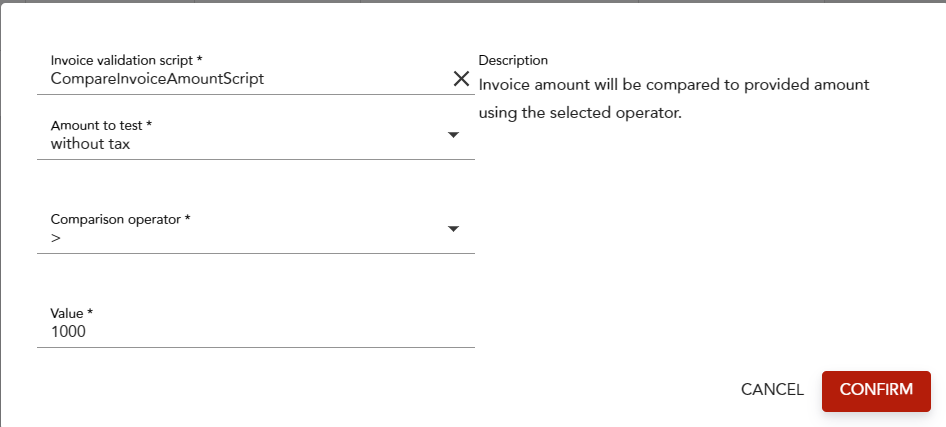
For more details, please refer to Automated invoice validation
Invoice validation applied per document type:
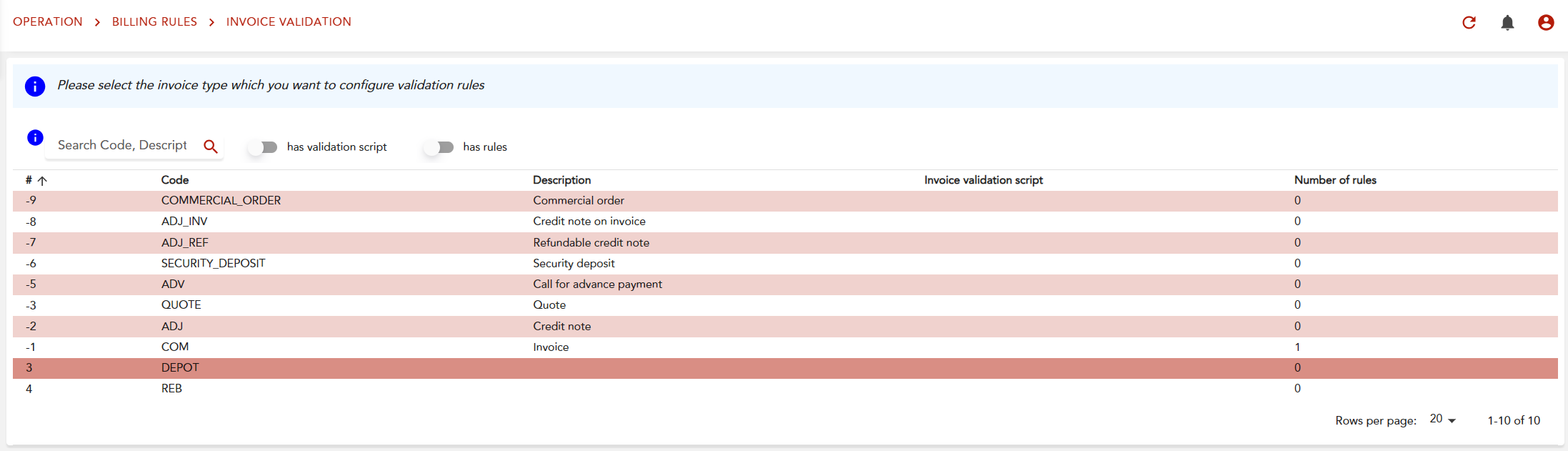
You can filter per validation script or rules:

Then clicking on the line will show you the details:
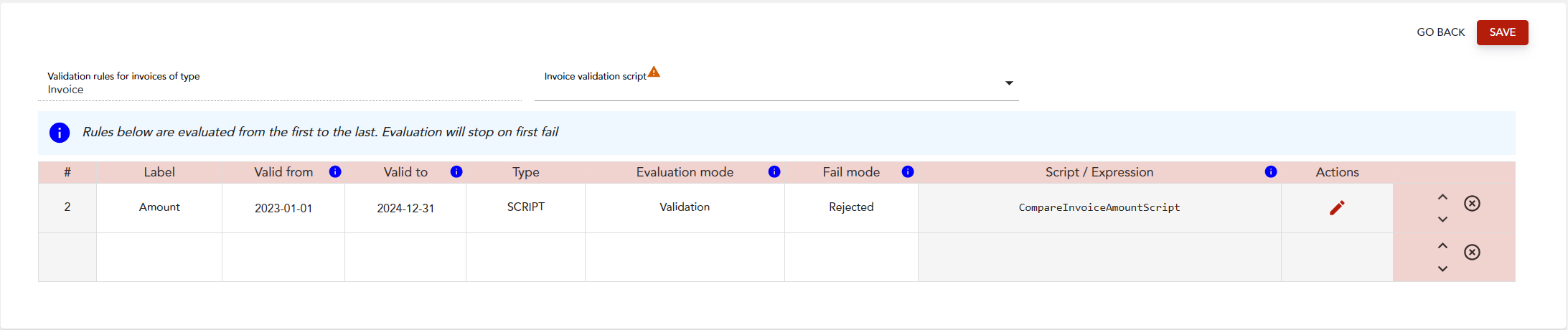
The rules are applied in the displayed order, the first on top will be the first evaluated.
You can edit a rule by clicking on the pencil, in this example all invoice vat excl. more than 1000will be rejected during the bill run.