
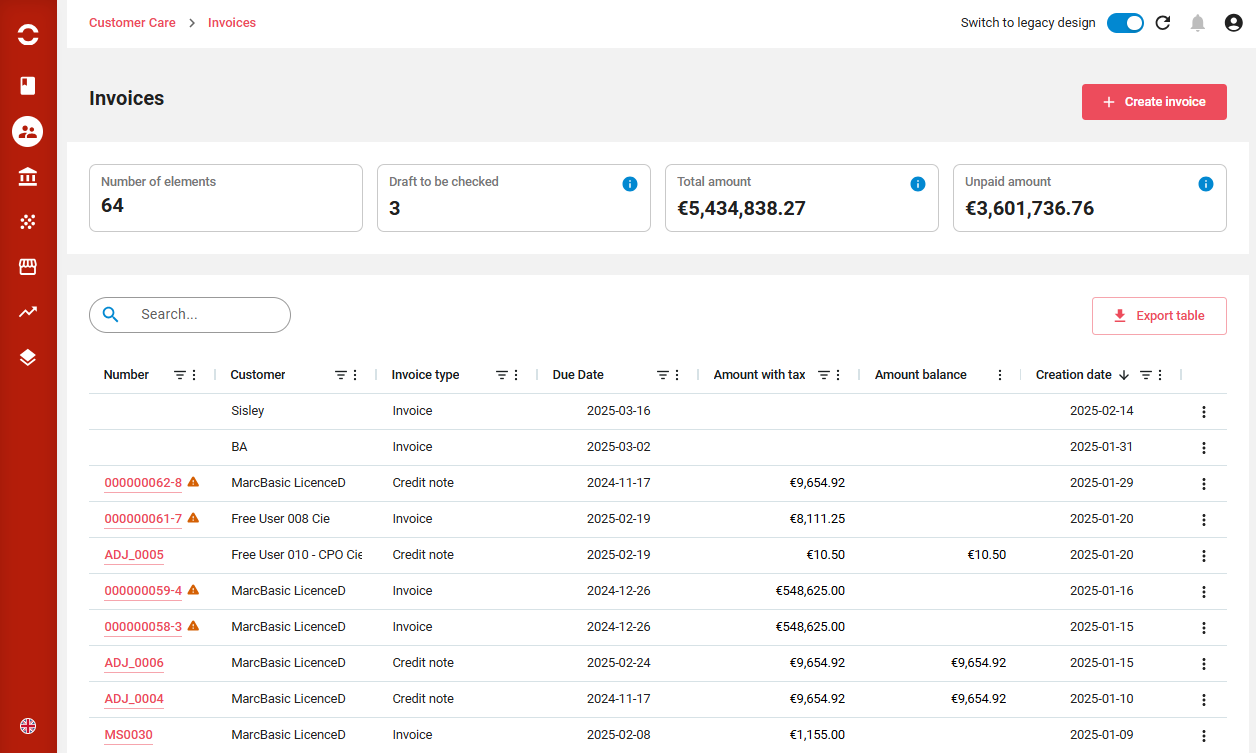
List invoices
Invoices can be listed, sorted, filtered, columns displaced or displayed. A full text search is available on top.
From there you can:
-
Create an invoice or credit note
-
Export the displayed list
-
Clicking on a line brings to the invoice.
-
End of line actions allows to
-
Download PDF
-
Duplicate invoice
-
Adjust invoice
-
Resend by email
-
Invoices prefixed with an orange triangle 
View invoice
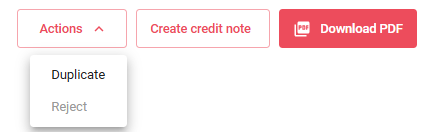
The invoice view shows several actions:
-
Duplicate or Reject under the Actions button
-
Create a credit note
-
Download PDF
Several tabs are displayed:
-
Invoice information
-
Invoice details
-
Extended information
-
PDF view
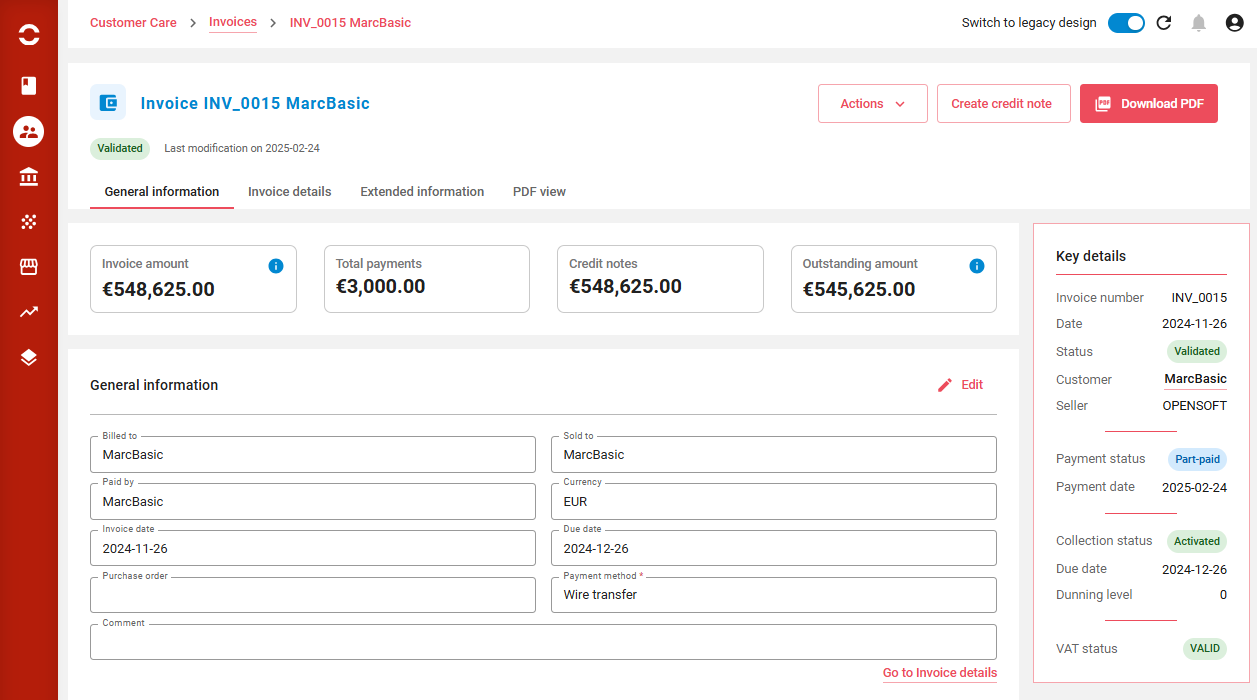
Invoice general information
This view shows all the invoice economics and high levels of the different roles related to the invoice.
The right hand pannel gives the status and links to other informations. such as invoice status, payment status, dunning status and VAT status.
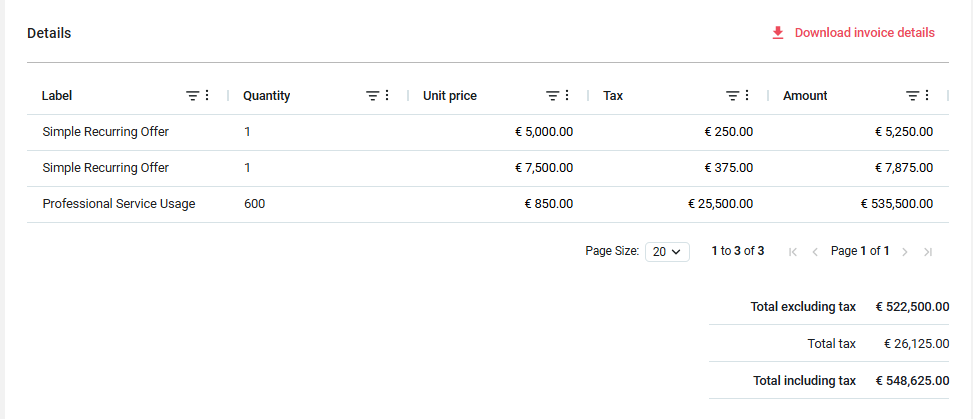
In the details section, the invoice lines are displayed and can be downloaded:
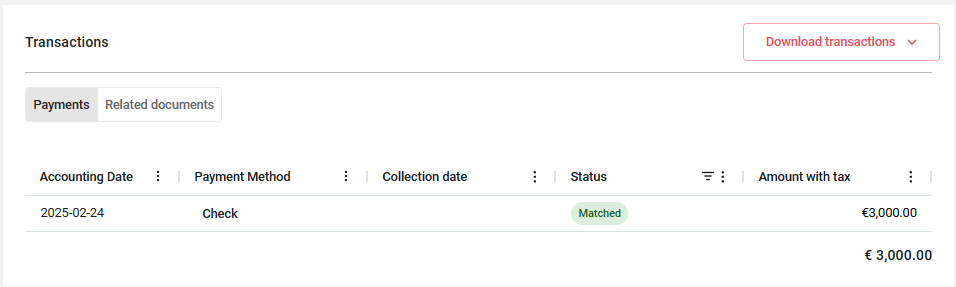
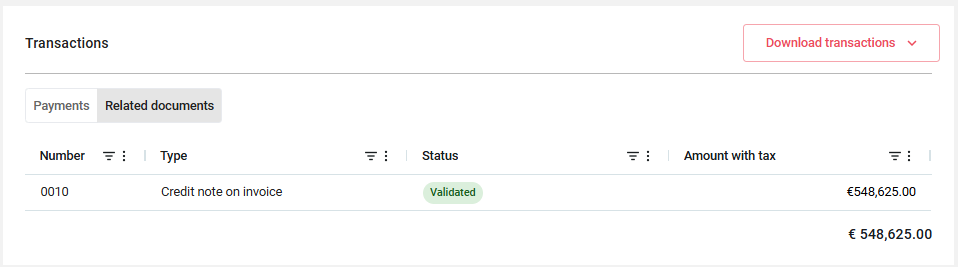
Transactions - Payments and Related documents
Here are displayed the customer’s financial transactions with their statuses.
Two tabs are presents:
-
Payments
-
Related documents (Credit note, security deposit…)
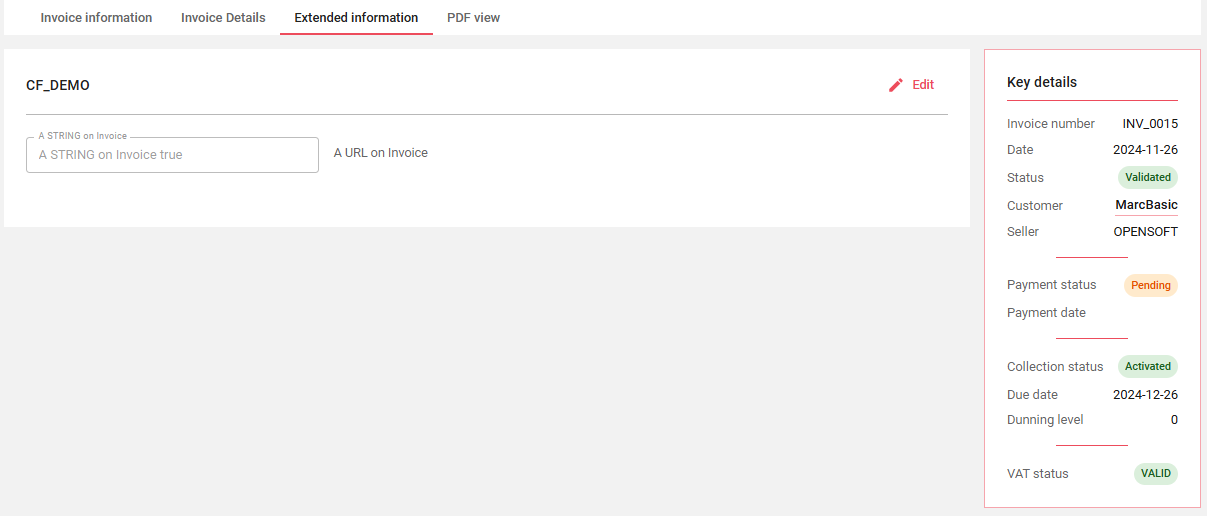
The possible extended information is present if Custom Fields have been defined on the Orders. It is always followed by the activity log.

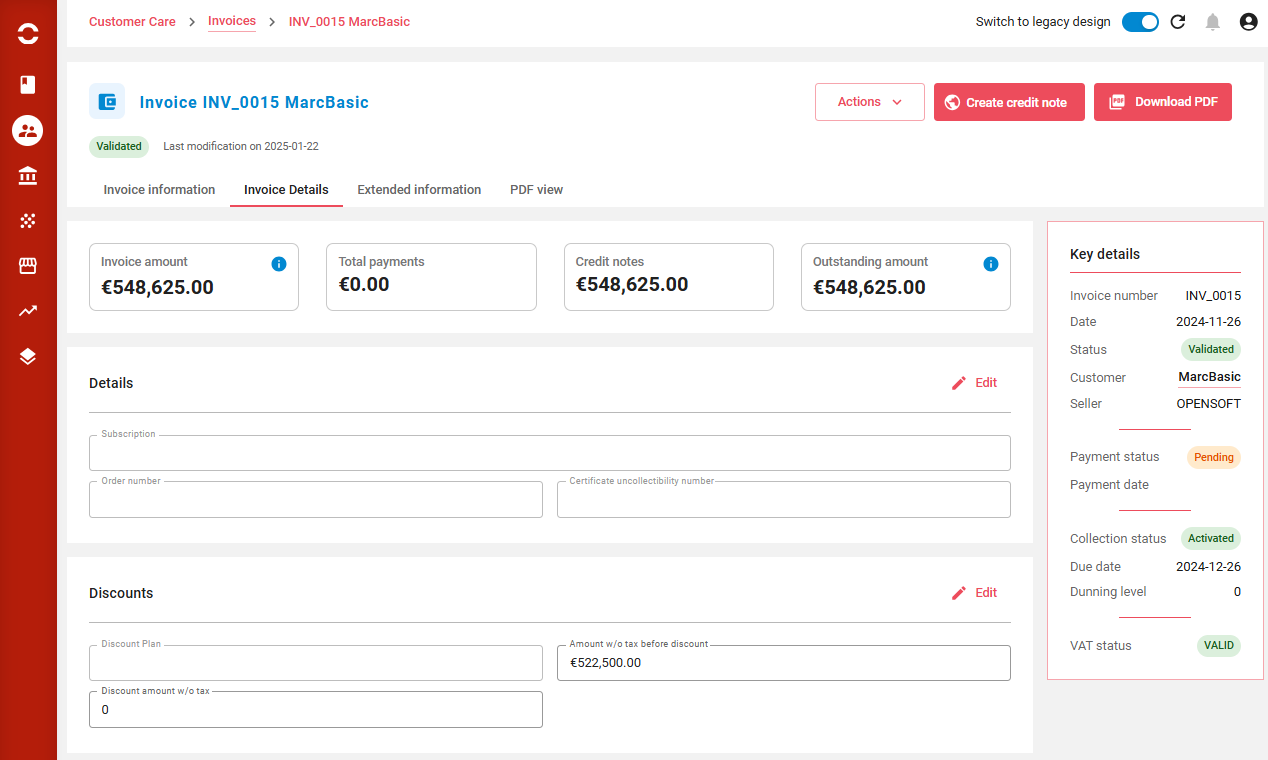
Invoice details information
This tab presents the incvoice details if any:
-
Related subscription
-
Related order
-
Certificate of uncollectibility number
And then the invoice level discounts applied if any.
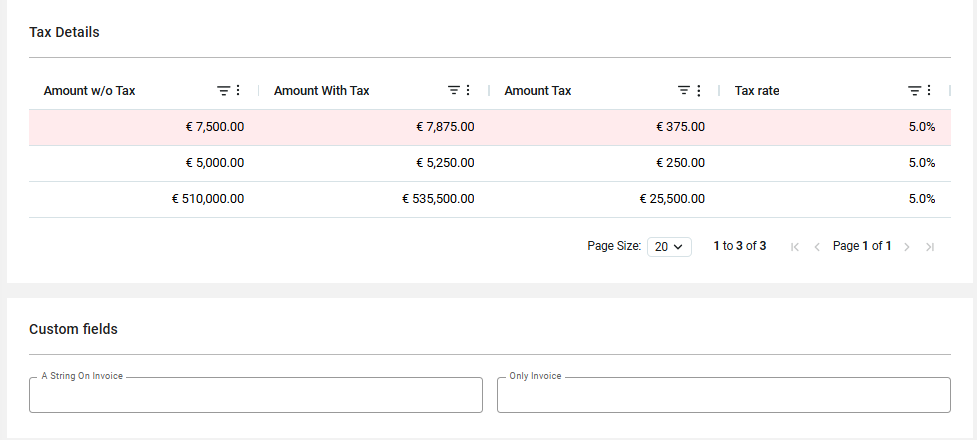
A more detailed view of applied taxes is displayed.
Extended informations
This view shows extra fields that can be set on the invoice.
PDF View
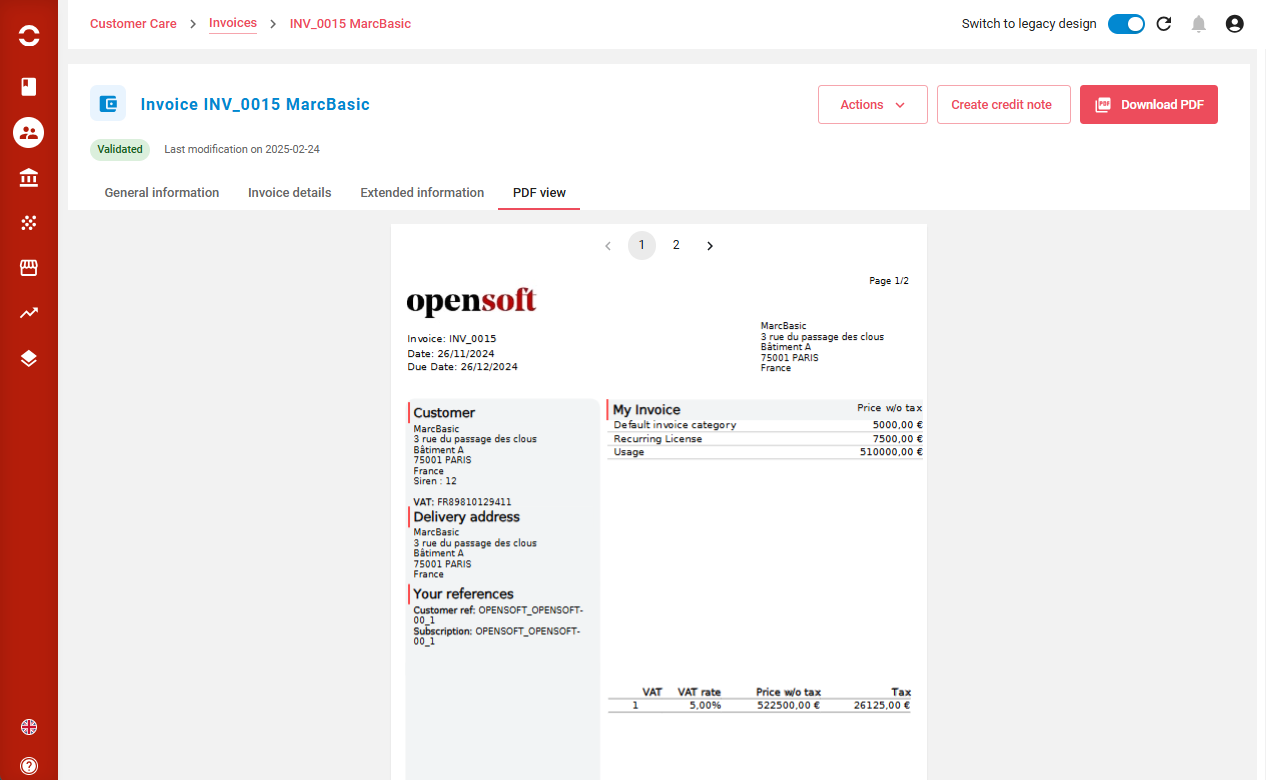
This view shows the live PDF
Invoice statuses
When created manually ot through the billing process
-
new NEW: invoice entity has been created but incomplete
-
draft DRAFT: invoice is complete but not validated. It can be edited.
-
SUSPECT SUSPECT: invoice has been marked as suspect by automatic controls (this status doesn’t block automatic generation)
-
REJECTED REJECTED : invoice has been rejected by automatic controls (this status block automatic generation)
-
CANCELED CANCELED: invoice has been canceled (all related rated transactions are released. This is a final status)
-
VALIDATED VALIDATED: invoice is validated and cannot be edited anymore (this a final status)
After validation:
-
PENDING PENDING: AO created, due date is still in the future (this status is not used by standard but it may be interesting. Status can be updated by API : PUT https://{host}/opencell/api/rest/v2/generic/, updated invoice id)
-
PENDING_PLAN PENDING_PLAN: Invoice payment has been made part of a payment plan. Payment plan in progress.
-
PAID PAID : invoice paid
-
PART PAID PPAID: invoice partially paid
-
UNPAID UNPAID: invoice is unpaid (due date is in the past). to change payment status to unpaid, it is necessary to configure updateUnpaidInvoiceStatus Job.
-
ABANDONED ABANDONED: payment is abandoned (matched with write-off AO)
-
REFUNDED REFUNDED : payment for invoice has been reimbursed
-
DISPUTED DISPUTED: invoice is in litigation