
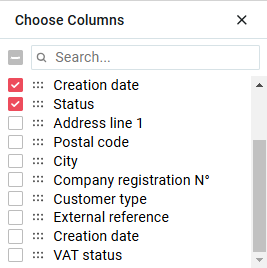
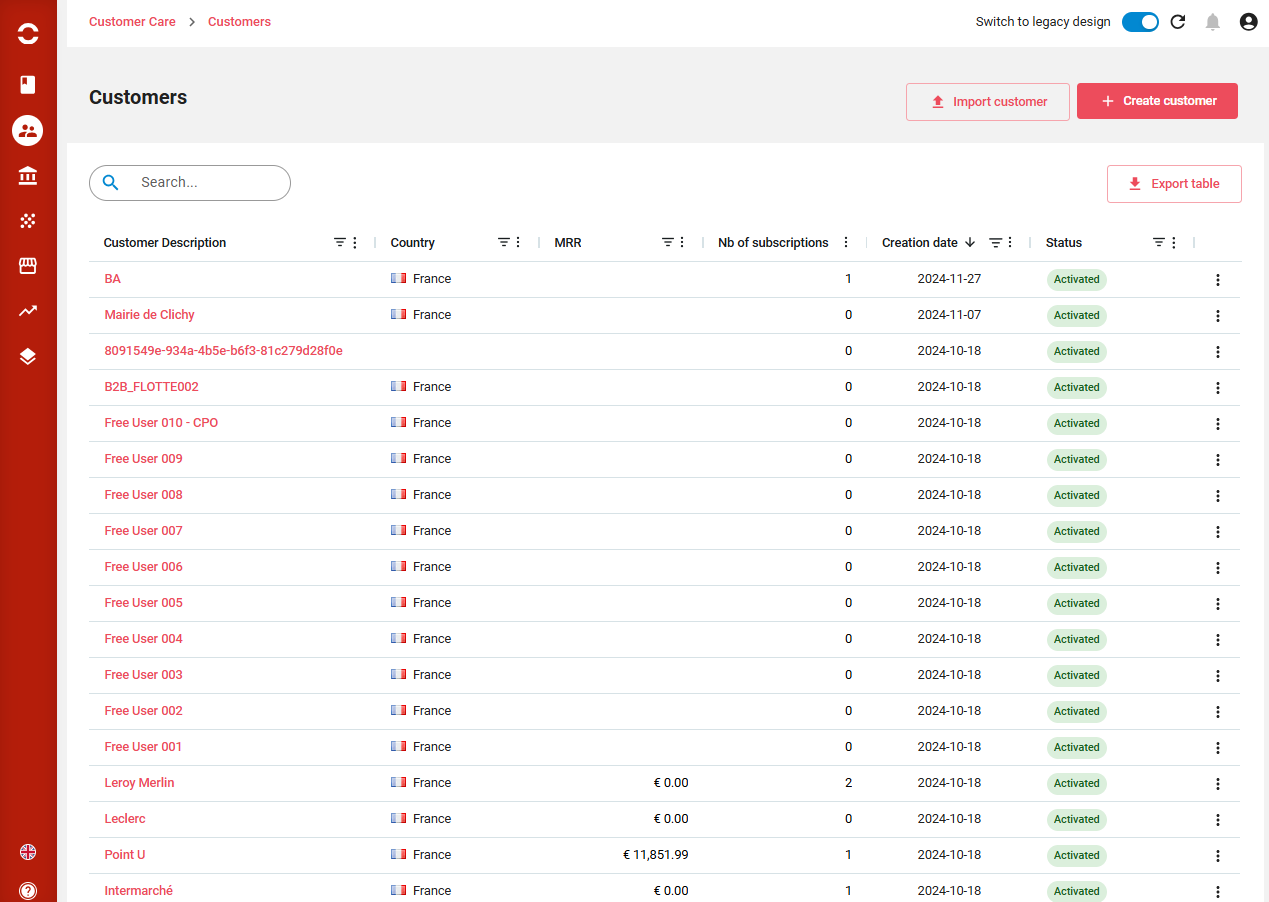
Customers can be displayed, sorted, filtered, columns displaced or displayed. A full text search is available on top.
From there you can:
-
Create a customer
-
Import a customer
-
Export the displayed list
-
Clicking on a line brings to the offer. End of line actions allows to create a subscription or manually invoice a customer.
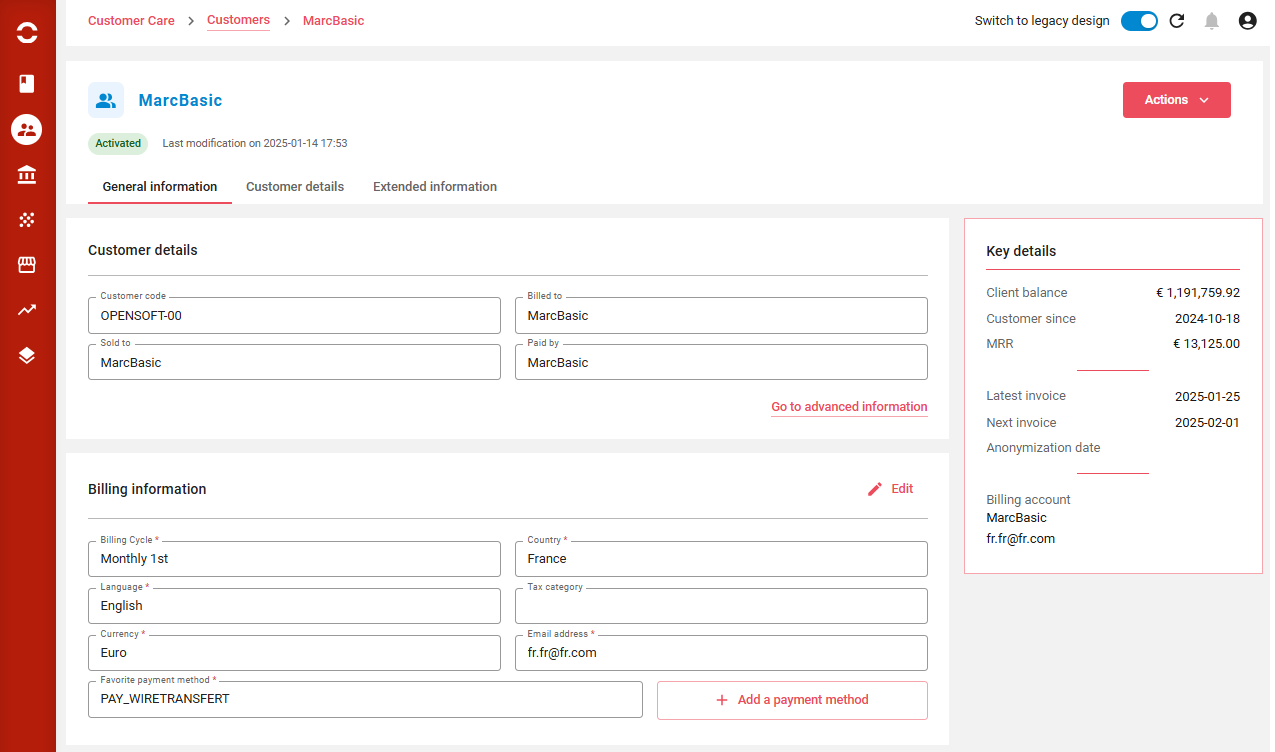
Customer details
Here you can do through the Actions button:
-
Create a quote
-
Create an order
-
Create a subscription
-
Create a manual invoice
-
Create a credit note
-
Anonymize the customer
Below each section can be edited through the Edit button, and saved by section afterward.
The screen presents three tabs:
-
General informations
-
Customer details - more detailes information on hierarchy
-
Extended informations - extra fields
Subscriptions
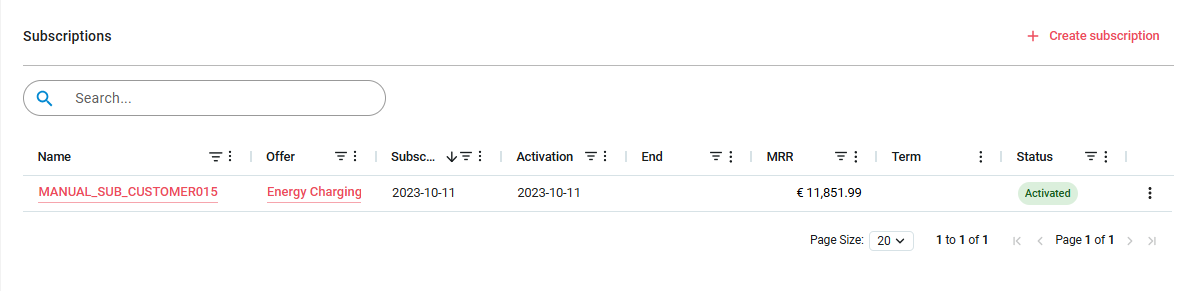
Here are displayed the customer’s subscriptions with their statuses.
Action is proposed to start a subscription, end of line action permits to terminate the subscription.
Clicking on one line brings to the instantiated offer for this customer.
Transactions - Invoices and Credit Notes
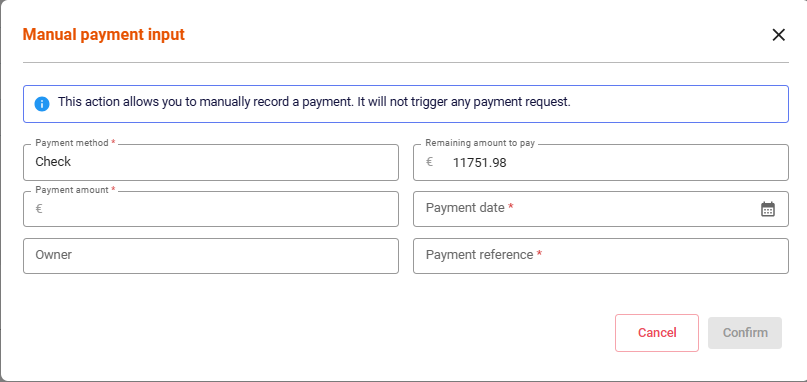
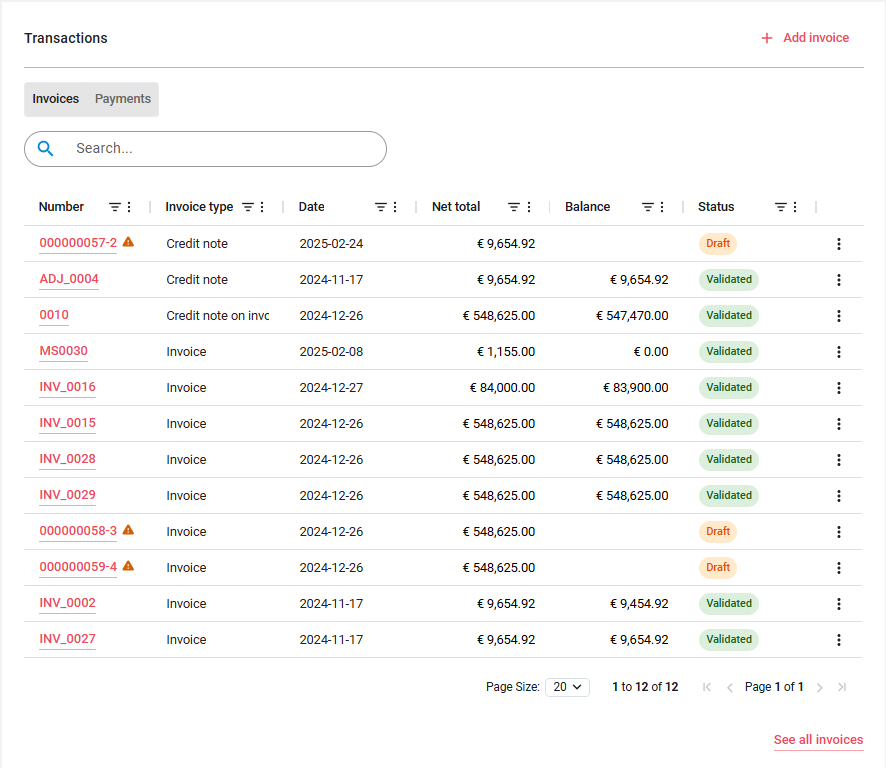
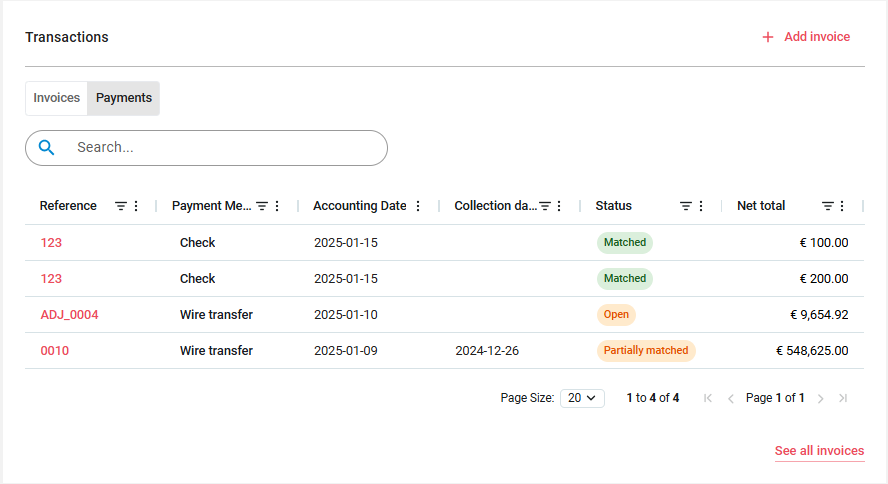
Here are displayed the customer’s financial transactions with their statuses.
Two tabs are presents:
-
Invoices and credit notes
-
Payments
For the Invoice tab:
-
Action is proposed to create an invoice, end of line action permits to view PDF or register a manual payment.
-
Clicking on one line brings to the invoice or credit note.
Transactions - Payments
For the Payments tab:
-
Clicking on one line brings to the payment details
Quotes
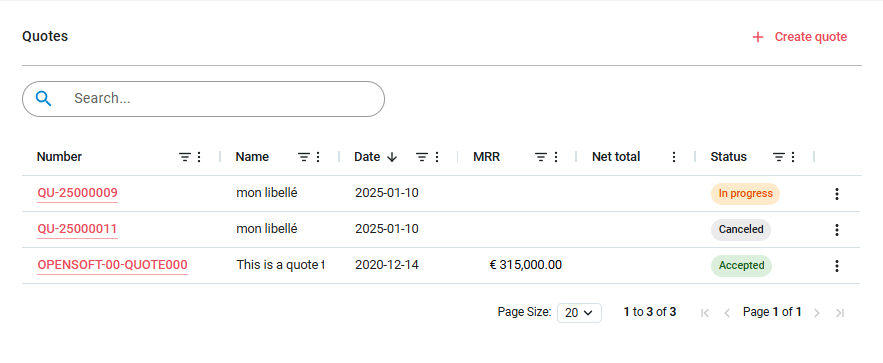
Quotes can be displayed, sorted, filtered, columns displaced or displayed. A full text search is available on top.
From there you can:
-
Create a Quote
-
Clicking on a line brings to the Quote. End of line actions allows to download the PDF quote
Orders
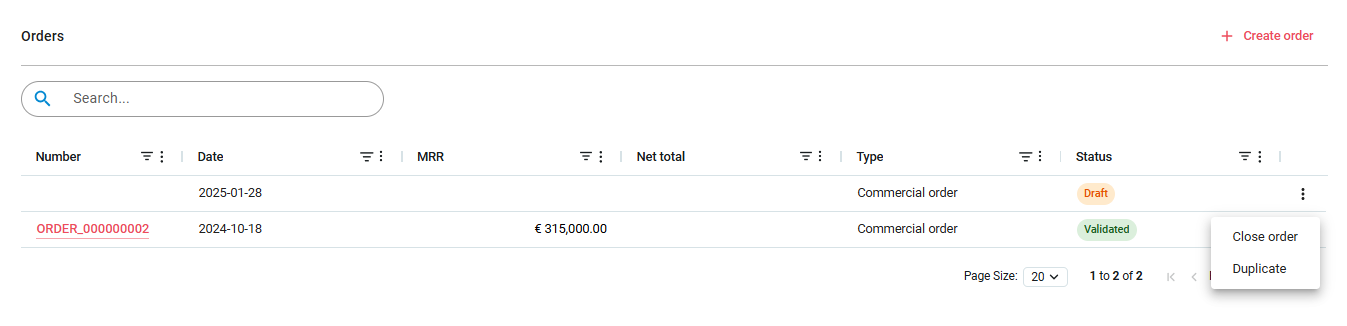
Orders can be displayed, sorted, filtered, columns displaced or displayed. A full text search is available on top.
From there you can:
-
Create an Order
-
Clicking on a line brings to the Order. End of line actions allows to close the order or duplicate it.
Activity
This last section tracks modification on the Customer.

Customer statuses
-
ACTIVATED ACTIVATED: customer is active
-
CLOSED CLOSED: customer has been closed, he had no subscription
-
CANCELLED CANCELLED: customer has been cancelled
-
TERMINATED TERMINATED: customer has been terminated through resiliation.