
The multi-balance feature is the ability of the user to define several balances fo opencel customers. this definition gives the felxiblity to calculate and dispaly any balances needed in the project implemetnation.
Opencell user will find two balances defined in the system as below:

The opencell user can modify these defintions or add other balances as needed.
The definitions of balances is based on:
-
Credit accounts operations
-
Debit accounts operations
-
EL (Expression language)
-
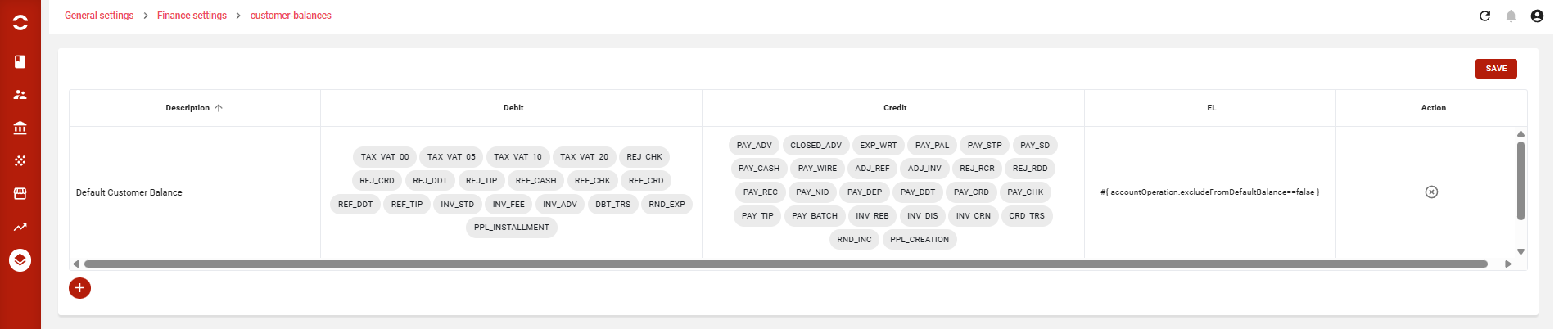
First balance : default customer balance
-
This is the main balance and the default one in Opencell.
-
The default configuration includes all payments and invoices accounts operations.
-
The balances excludes only security deposits accounts operations.
-
The balance excludes any payment linked to security deposit invoices from default balance via this EL
-
#{ accountOperation.excludeFromDefaultBalance==false }
-
-
-
Second balance : Dunning balance
-
This balance, used mainly by dunning processes, uses expression language (EL)
-
#{ accountOperation.type == 'I' && accountOperation.dueDate < currentDate && (accountOperation.matchingStatus == 'O' || accountOperation.matchingStatus == 'P') }
-
-
This is will gather all invoices unpaid, due date already in the past, and not paid yet or partially paid.
-
Once we have access to the configuration page we can add new balance as below
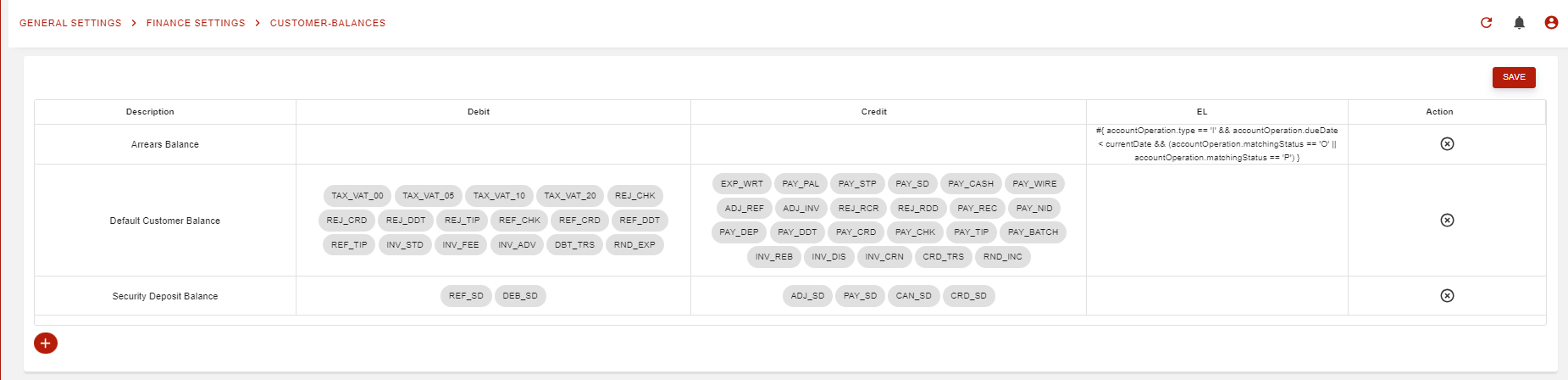
or modify existants balances as below
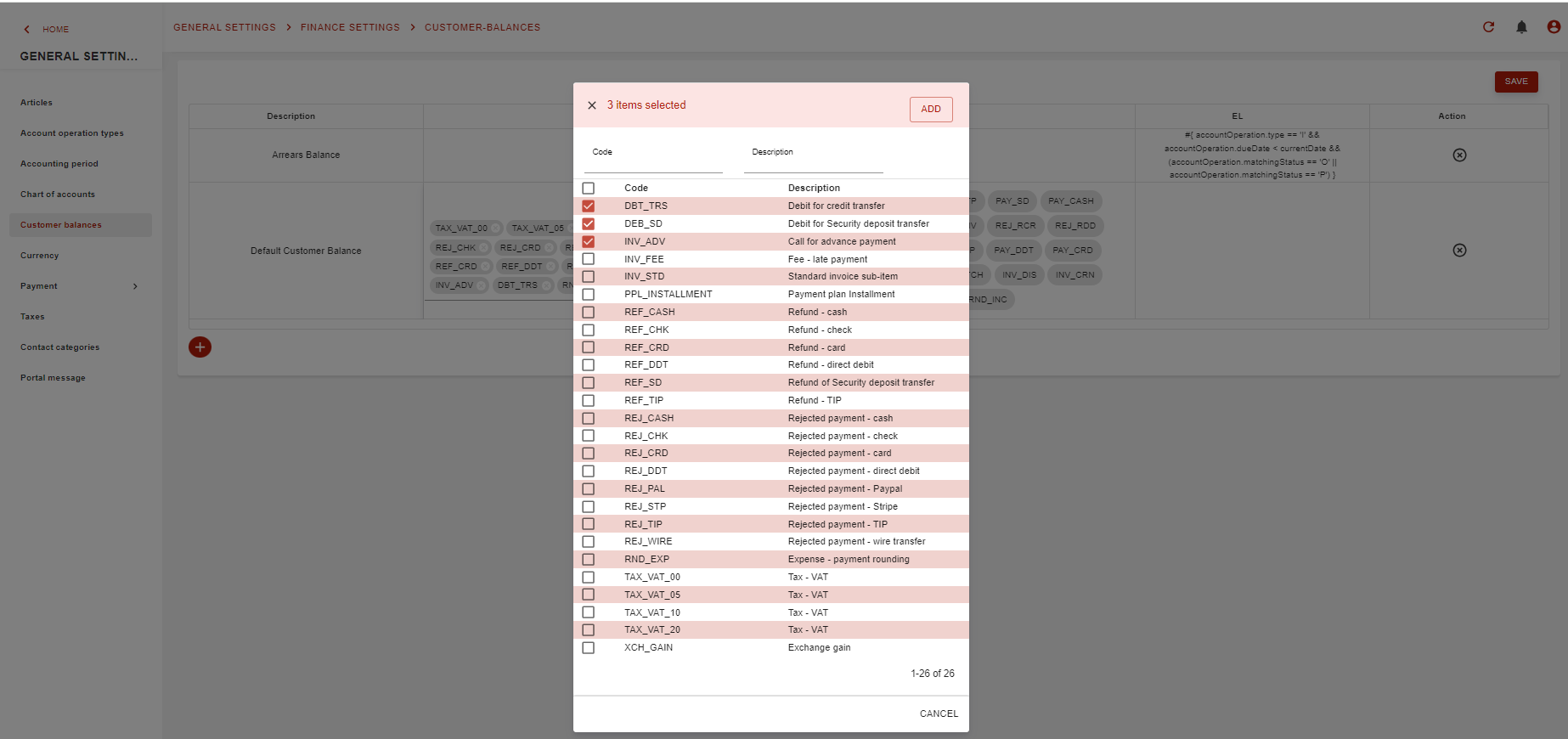
-
Third balance : Security deposits balance :
-
This is the balance of security deposit of the customer.
-
It shows credit and debit accounts operations of security deposit, as these operations are excluded from default customer balance.
-
Where can I set up the option multi-balances as an administrator ?
In the General settings module the administrator can set up all the parameters of balances on the customer balances page:
-
Default Customer Balance
-
Arrears Balance
and can define new balance:
-
Security Deposit Balance
The definitions of balances is based on:
-
Credit accounts operations
-
An administrator can select operations from the entire list of credit accounts operations and add their amounts to the balance. The total amount of these selected operations will represent the credit amount of the balance.
-
-
Debit accounts operations
-
An administrator can select operations from the entire list of debit accounts operations and add their amounts to the balance. The total amount of these selected operations will represent the debit amount of balance.
-
-
Expression language (EL)
-
An administrator can define by EL the selected accounts operations and others parameters to define the amounts of the balance.
-
Where Can I consult my balances ?
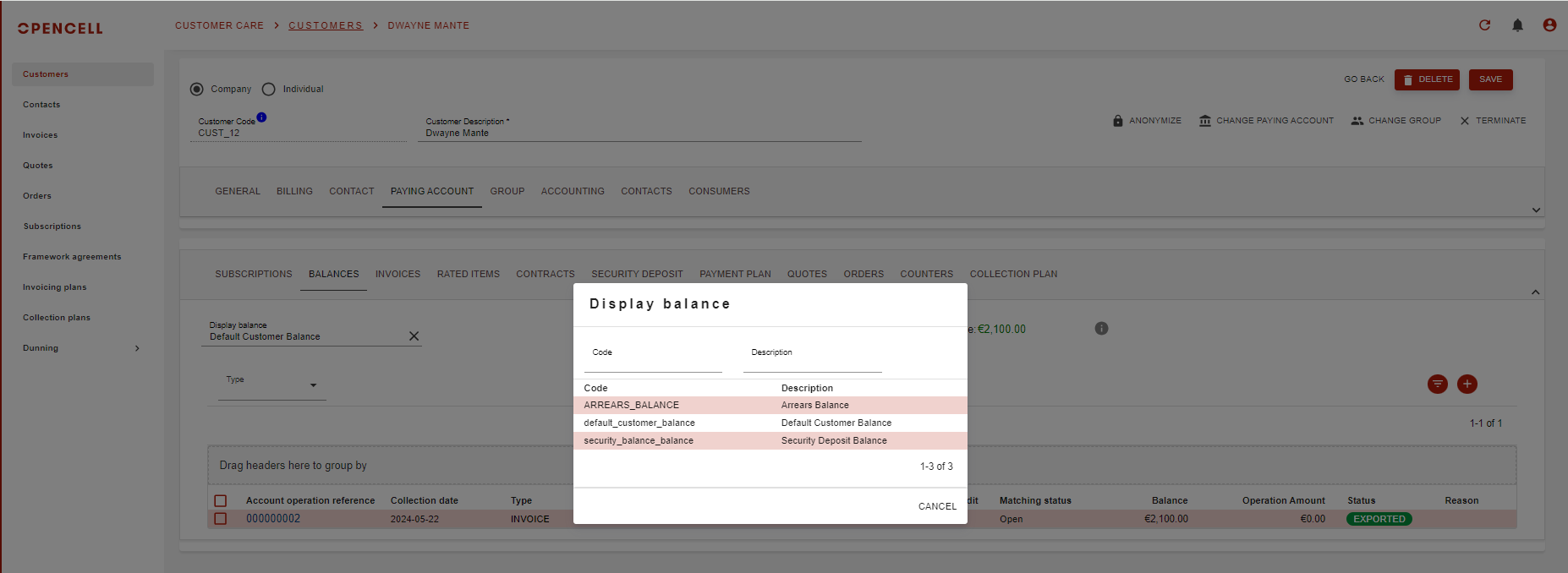
In the Customer Care module, on the customer page we have the default view of the customer balance. Now user can select which balance he will display by selecting one the configured balances
The list below of the accounts operations is the list of credit and debit accounts operations configured on the selected balance.
Can I extract my balances ?
In the Customer Care module, on the customer page we have the default view of the customer balance. Now user can extract and dowloand on excel file the customer balance as below:
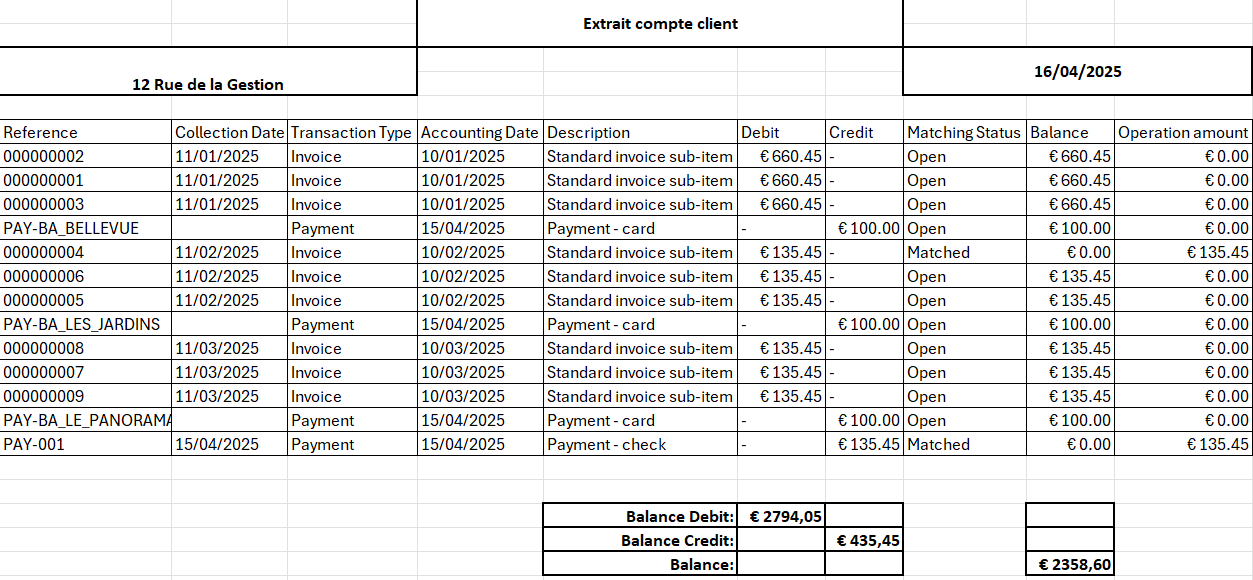
How are the balances updated ?
The Customer balance will be updated when there is a modification on one of the accounts operations included in the configuration. For the defaults balances, the update can be made automatically after:
-
invoice generation
-
invoice payment
-
…