
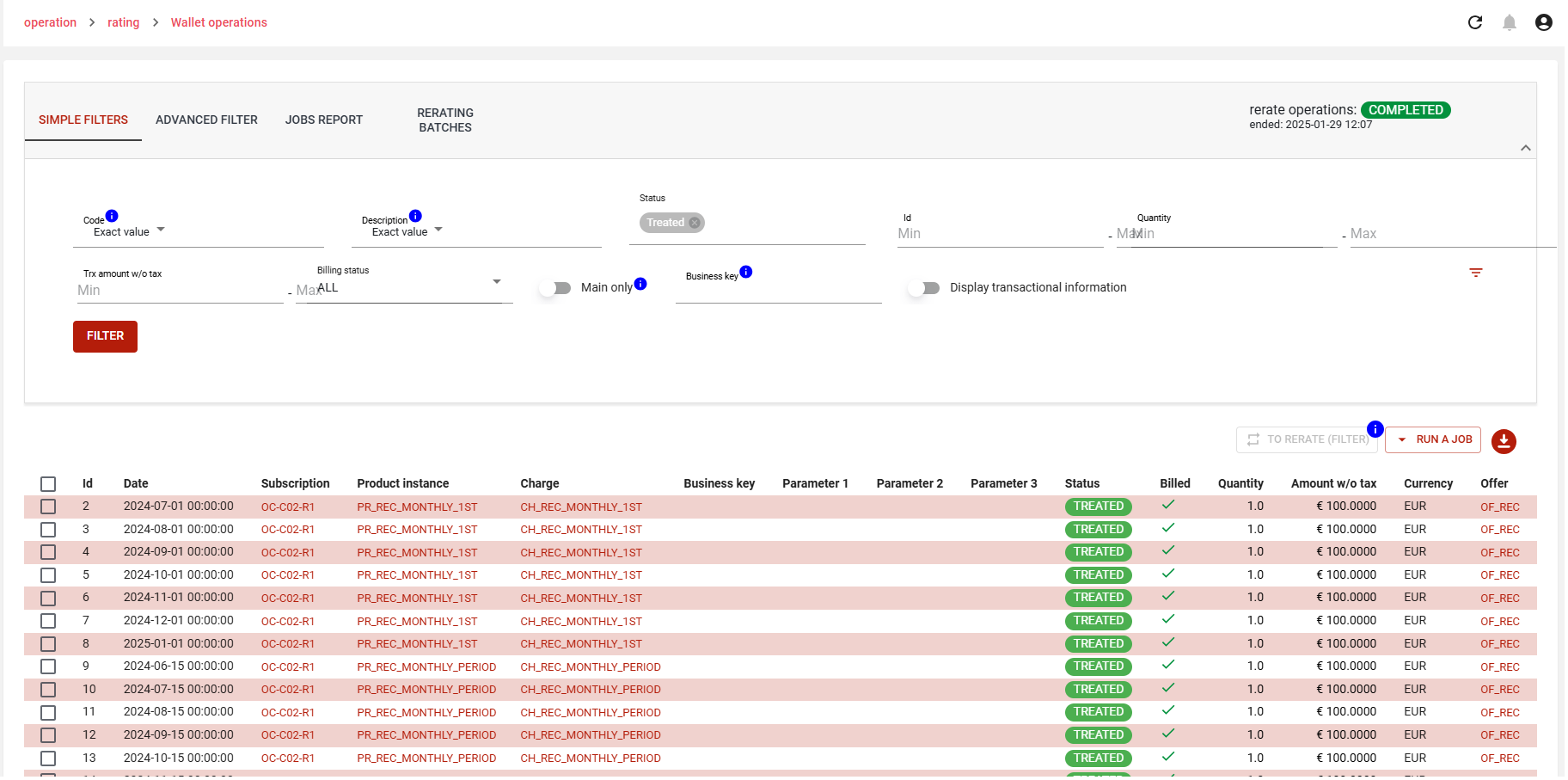
The wallet operation, generated from charges and that are then transformed into Rated Transactions, allows to track and manage the rerating process.
This list also allows you to download a filtered list of wallet operations.
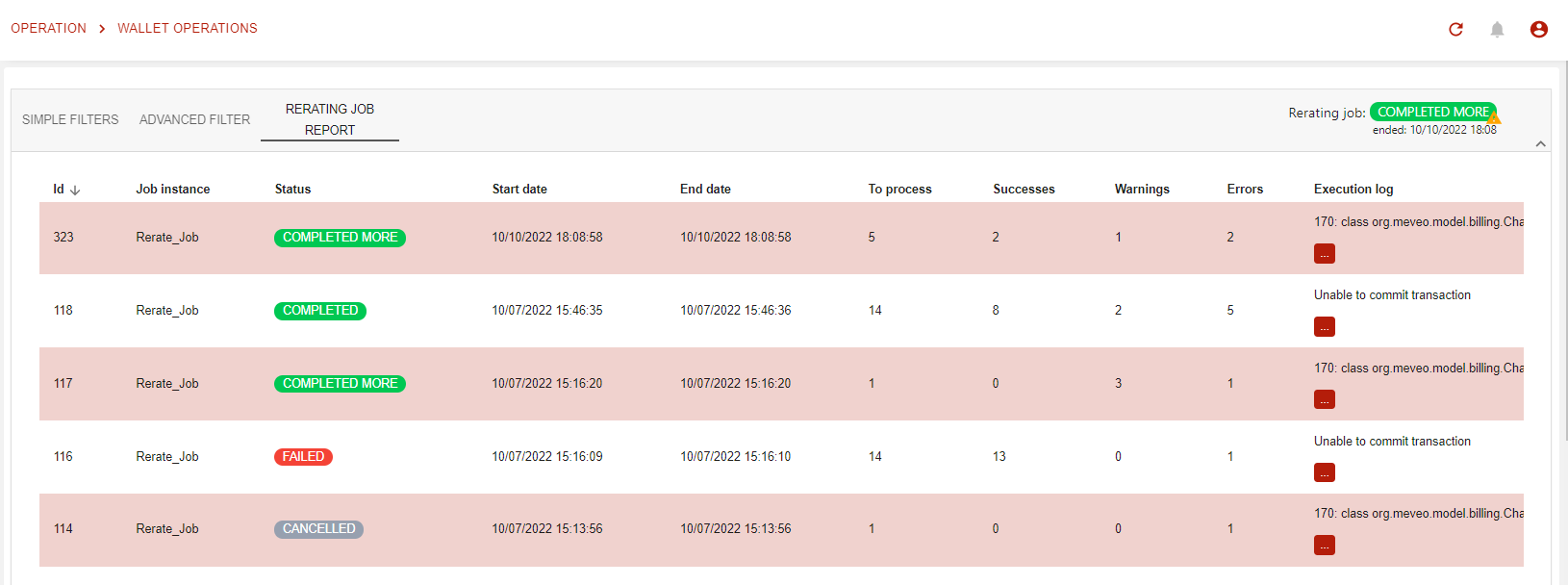
The Rerating Job Report will display the status, and will allow individual WO rerating.
Exporting wallet operations
From 18.1.0 onwards, you can export the wallet operations that match your filter either straight away or in the background. Either way, an export holds at most 1,000 wallet operations by default: the advanced setting genericExport.limitation.default sets this limit.
-
Filter the list to the wallet operations you want to export.
-
Click the export button. The Export items window tells you how many items you are about to export.
-
Choose how to export with the Asynchronous export switch:
-
off: the file is downloaded as soon as it is ready;
-
on: the export runs in the background, and you receive an email when the file is available.
-
-
Click Confirm to start the export, or Cancel to close the window without exporting.
When your platform is configured to treat wallet operations as a very large table, the switch is on by default and a warning advises you to use the asynchronous export. Otherwise, it is off by default.
When the export runs in the background, a message confirms it and no file is downloaded at this point. The email tells you where the export file is. You can follow the export in the Batches tab.
Batches
From 18.1.0 onwards, the Batches tab lists the batches recorded for wallet operations: rerating batches and exports run in the background. Jobs process these batches, either on a schedule or when you run them.
-
Process batches processes all open batches.
-
To process only some of them, select them and click Process. Only open batches are processed.
The Rerate action is shown only for rerating batches, in the action bar to the left of Process.
Each run of the export job also appears in the jobs report.