
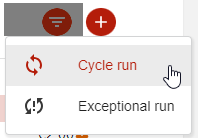
Go to “Operations” / “Billing run” / “Create” / "Exceptional run”:
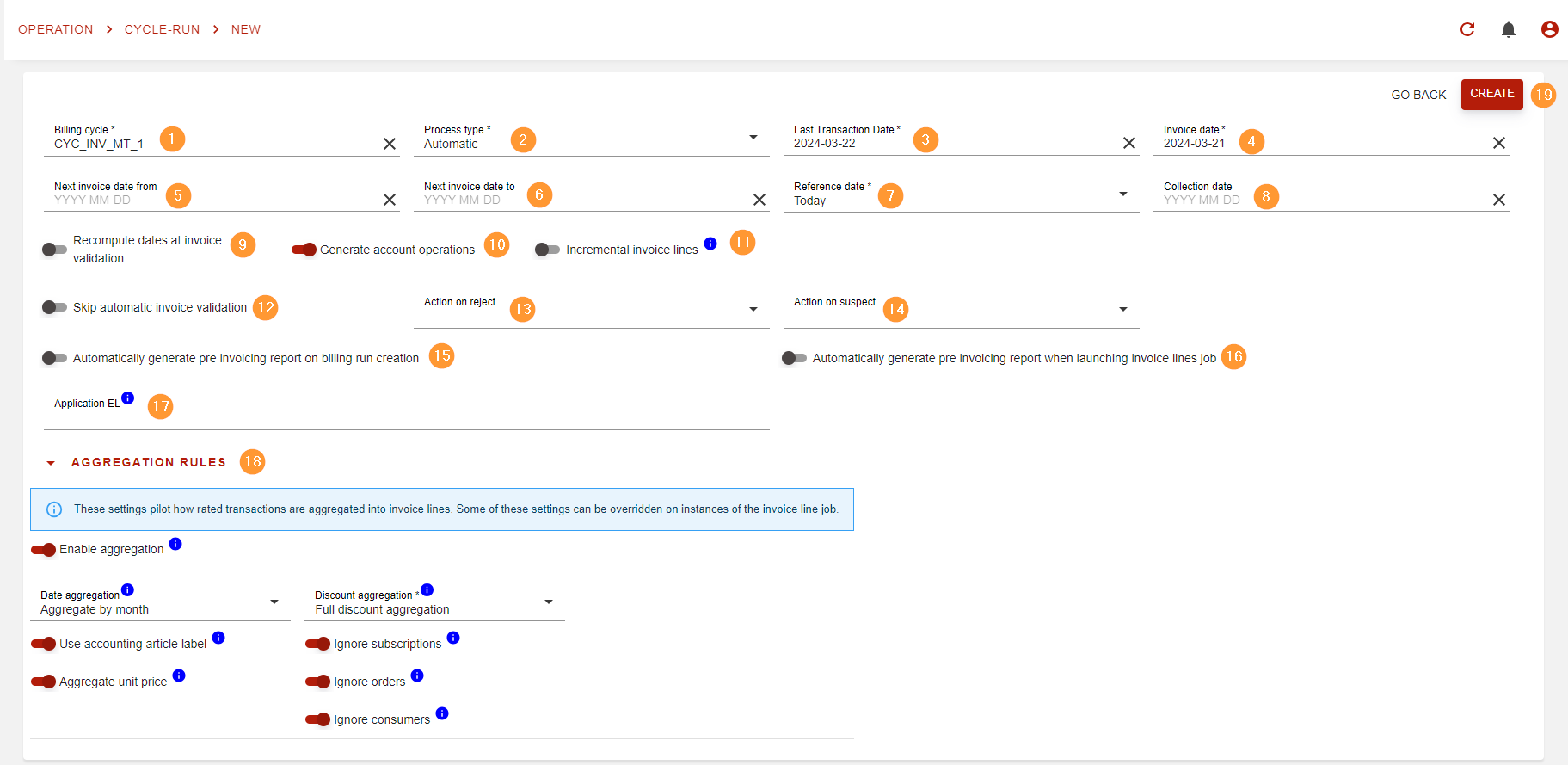
This will bring up a new page where you’ll be able to configure your run:
|
Field |
Mandatory / optional |
Description |
|
|---|---|---|---|
|
1 |
Billing cycle |
mandatory |
Cycle runs will bill rated items based on a billing cycle.
|
|
2 |
Process type |
mandatory |
You have 2 options here:
Of course, for both process types, invoice validation is performed and the run could land in a rejected status, unless mentioned otherwise. |
|
3 |
Last transaction date |
mandatory |
Only rated items with date ( |
|
4 |
Invoice date |
mandatory |
Will be used to set the invoice date of invoices produced by the billing run.
|
|
5 |
Next invoice date from |
optional |
Only billing accounts with next invoice date greater than or equal to “next invoice date from” will be billed. |
|
6 |
Next invoice date to |
optional |
Only billing accounts with next invoice date strictly lower than “next invoice date to” will be billed. |
|
7 |
Reference date |
mandatory |
Defines the date used to compute the new next invoice date for billing accounts based on the billing cycle’s calendar. Options are:
|
|
8 |
Collection date |
optional |
An optional date to set the initial collection date on invoices. |
|
9 |
Recompute dates at invoice validation |
optional |
Use if you expect a long delay between invoice draft creation and invoice validation. This will recompute due date and other automatically set dates when the invoices are validated by the run (not if there are validated manually) based on validation date. default: off |
|
10 |
Generate account operations |
optional |
Will automatically generate account operations when invoices are validated by the run (account operations are always generated when validating manually).
default: on |
|
11 |
Incremental invoice lines |
optional |
This will make the run into an “open billing run” (more info in Batch invoicing (Billing Run)) allowing to add new rated items before generating draft invoices. default: off |
|
12 |
Skip invoice validation |
optional |
Turn this on to completely skip Automated invoice validation.
default: off |
|
13 |
Action on reject |
mandatory for “full automatic” |
Automatic action to preform when an invoice is rejected by automatic validation. Optional for “Automatic” process type.
Options are:
default: empty (Automatic process type only, equivalent to “Request manual action”) |
|
14 |
Action on suspect |
mandatory for “full automatic” |
Automatic action to perform when an invoice is suspected by automatic validation. Optional for “Automatic” process type.
Options are:
default: empty (Automatic process type only, equivalent to “Automatic validation”) |
|
15 |
Automatically generate pre invoicing report on billing run creation |
optional |
A toggle to decide is you want the pre invoicing report to be generated when the billing run is created. |
|
16 |
Automatically generate pre invoicing report when launching invoice lines job |
optional |
A toggle to decide is you want the pre invoicing report to be generated automatically when invoice lines are added to the billing run. |
|
17 |
Application EL |
optional |
An expression to decide if the billing run must be processed.
|
|
18 |
Aggregation settings |
optional |
Here you can sett custom aggregation settings.
|
|
19 |
Create |
- |
When you’re ready, hit the “create” button to create the new billing run.
|