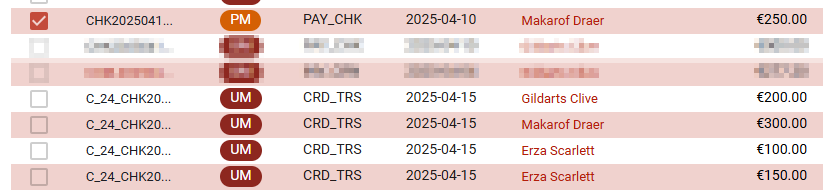
On the manual matching page, there’s an option to transfer amounts from a credit account operation (usually a payment) and dispatch it into other account operations, possibly to other customers.
This option is available once you have selected a single account operation on the “credit pane” (right hand side).
Dispatch amount dialog
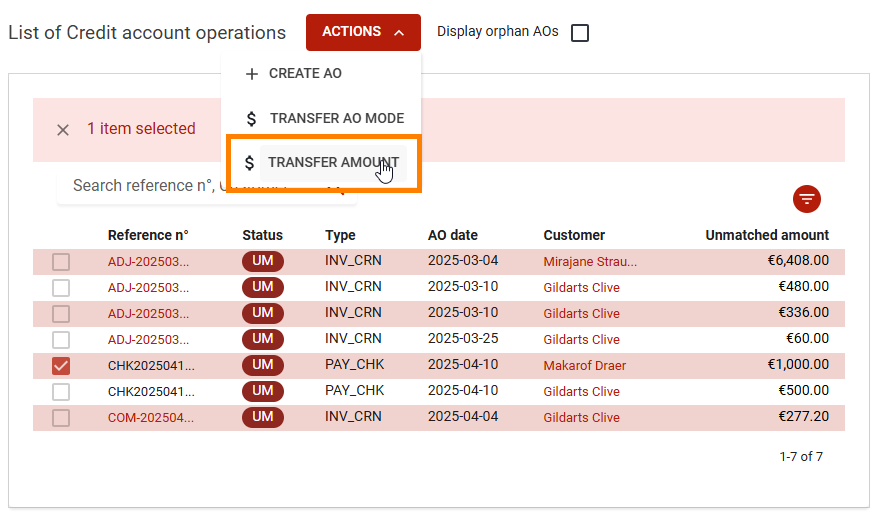
When you hit the “Transfer amount” button, a popup will show allowing you to dispatch the amount of the selected account operation.
-
You can add lines using the big “+”.
-
For each line select a customer and input an amount.
-
The dialog tracks the initial amount and the amount still available to dispatch, above the list of lines.
-
The amount dispatched is visible at the bottom of the dialog.
Customer selection
-
You can select the same customer owning the source account operation
-
You can select the same customer several times
→ this will allow to split and existing account operation into smaller ones
Resulting account operations
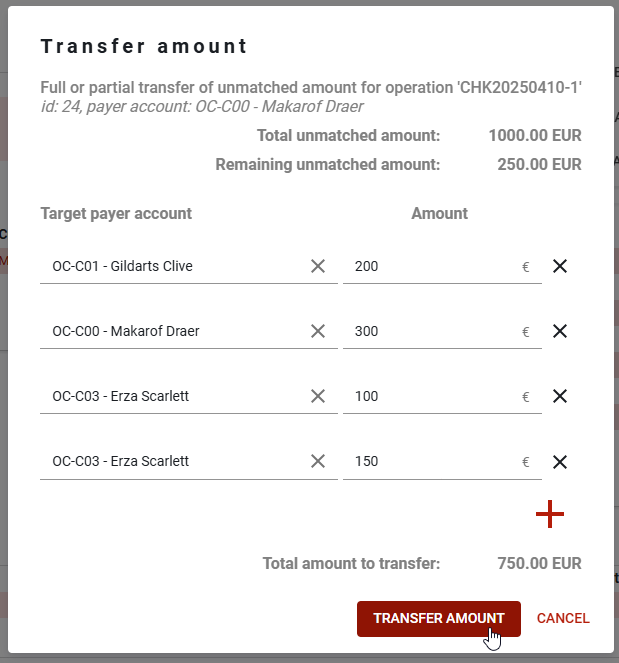
Once the “Transfer amount” is hit, the amount will be dispatched.
As a result you will have as many new credit account operations as lines in the dialog.
These new account operations will be of type CRD_TDS (“Credit for transfer“).
There will also be debit operations of type DBT_TDS (“Debit for transfer“) of the same amount.
These debit operations are matched with the source operation (that’s why it appears as “partially matched” in the screenshot below).