
Payment deferral is the action of delaying a payment request.
The usual use case is that a customer knows that he won’t have enough cash to pay his bill on due date.
He/she calls the customer service and asks for an additional delay.
Payment deferral settings
Payment deferral is an optional feature.
You can activate it in General settings / Payment settings by activating the “Allow payment deferral” toggle (1):
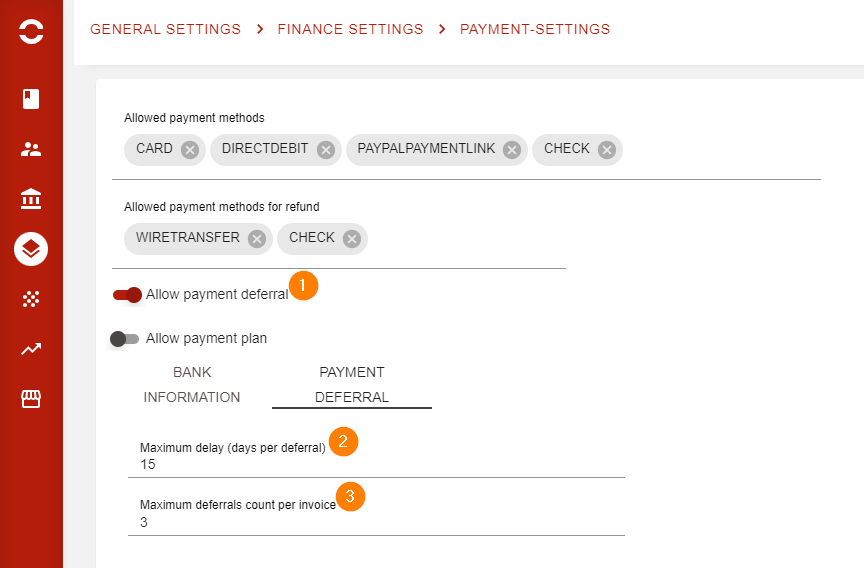
Here you can also configure:
-
Maximum delay (2): the maximum additional delay (in days) that can be granted, per deferral
-
Maximum deferrals (3): the maximum number of times a deferral can be granted, per invoice
Recording a payment deferral
As customer service agent, you may have to record a payment deferral.
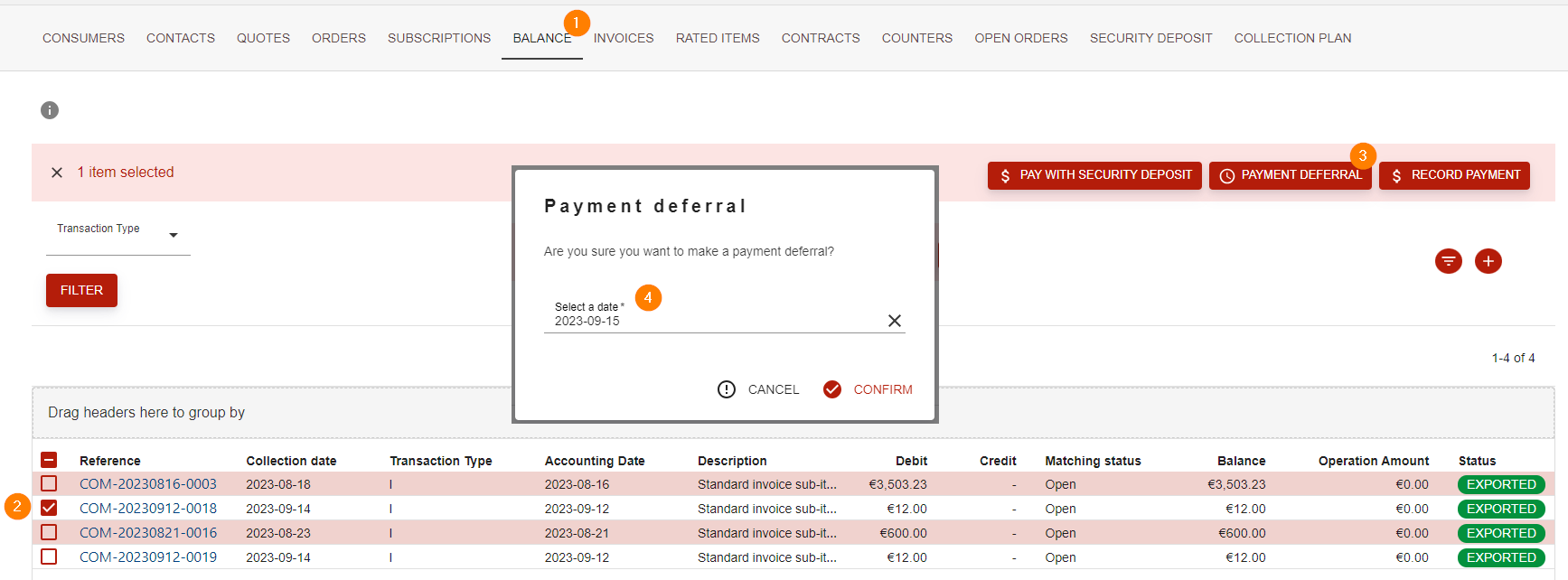
This is performed on the Customer’s 360° view in the Customer application:
-
Go the balance tab
-
Select a single invoice
-
Hit the “Payment deferral” button
-
A popup will show up to input the new desired collection date
NOTES
-
The new collection date must be be greater than the current collection date and lower or equal to the current collection date + maximum delay.
-
The payment deferral button will be grayed if the maximum number of deferral has already been reached.