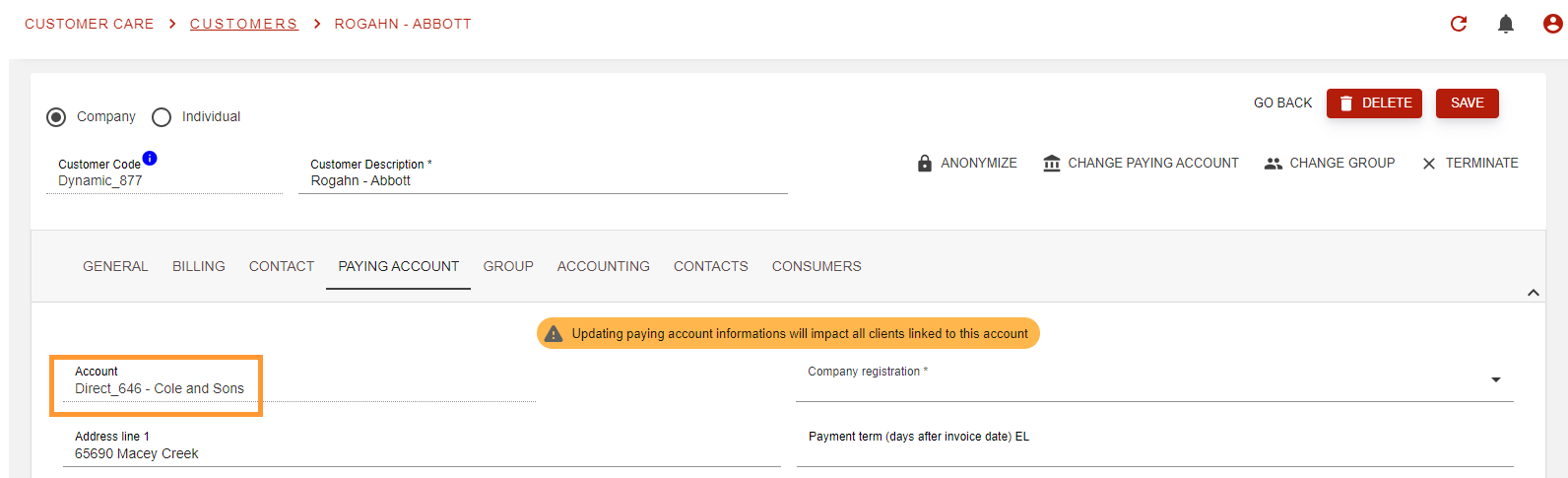
This feature allows you to re-assign a customer that you have previously created to an other paying account, optionally rerating open wallet operations.
Walkthrough
-
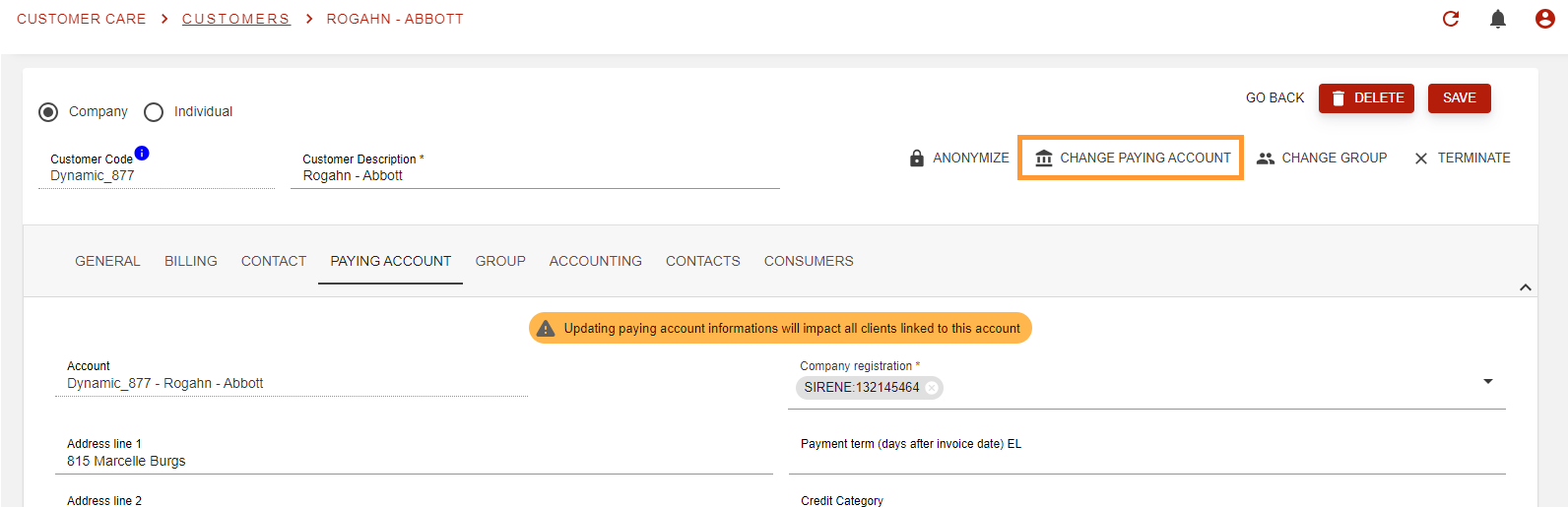
Go to the customer page and hit the “Change paying account button”.
-
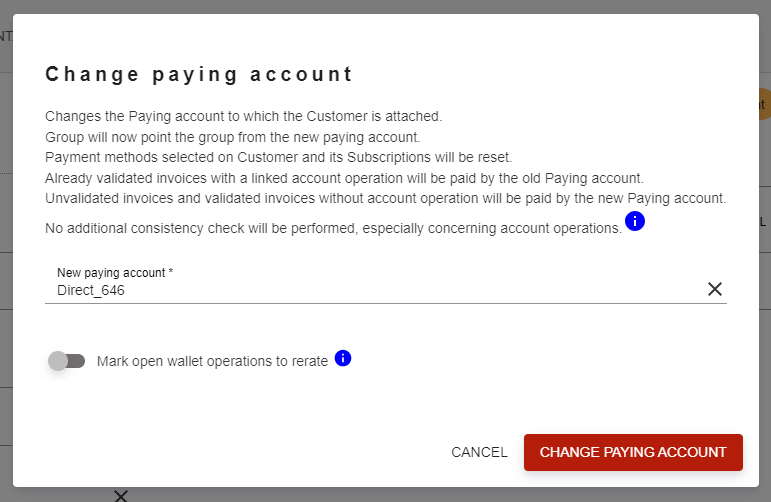
A dialog will pop to provide more information on what will happen and to ask if you want to mark open wallet operation to rerate.
Select the new paying account:
-
If you want to process, hit the “change paying account” button.
-
Paying account has been changed. The customer is now linked to the new paying account: