
You can now define invoice subtotals in Opencell, thus allowing you to go a step further in your invoice management. Currently, Opencell computes aggregates only during invoicing, which uses a lot of processing power, and we have to wait for invoicing to have an estimate of these aggregates. Furthermore, these aggregates are very limited as they are only based on invoice (sub-)categories.
This new feature will allow a whole lot more flexibility 🙂
Settings
Invoice subtotals are managed in the General settings app → Finance settings → Invoice subtotals.
You will have to define sub-totals based on invoice types. For each invoice type, you will then create as many sub-totals as you wish.
Invoice types are managed in the Admin. Seven exist by default on any environment, and they can be modified, you can add more, or you can delete some.
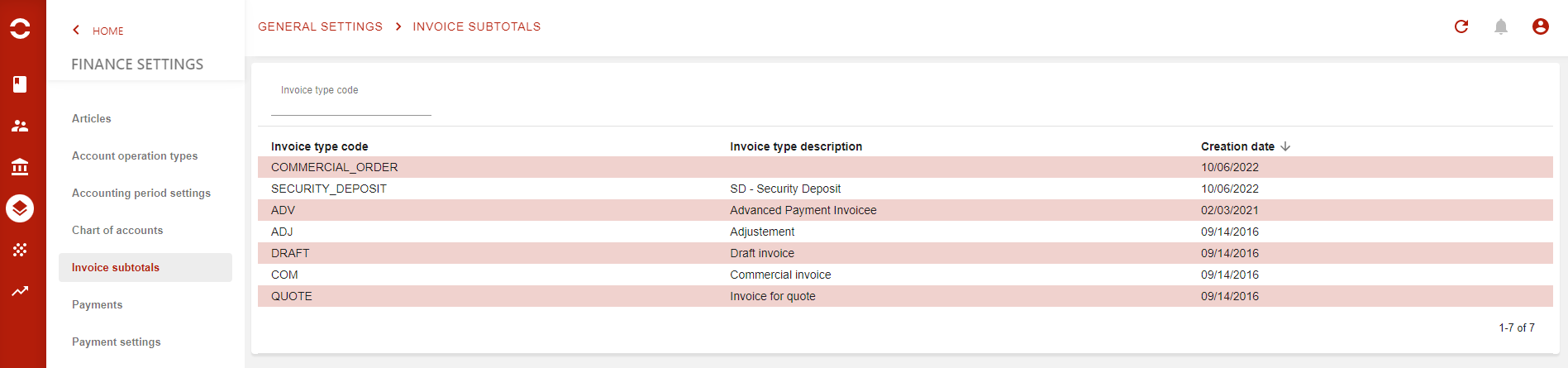
This page displays the invoice types that exist on your environment.
When you want to add new subtotals to a given invoice type, just click on the targeted type and you will arrive on the following page
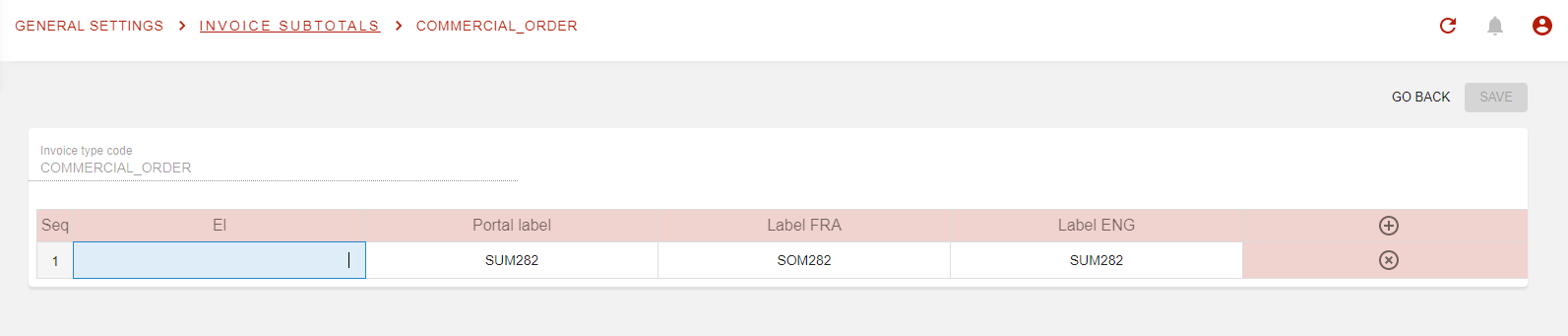
This is where you will be able to create all the subtotals you want for an invoice type. As you may have noticed, subtotals are define by Expression Languages (EL) for now, which means you will require your systems admin, or a person with more technical skills to set them.
Once set, you will then find the subtotals directly on the Invoice page:
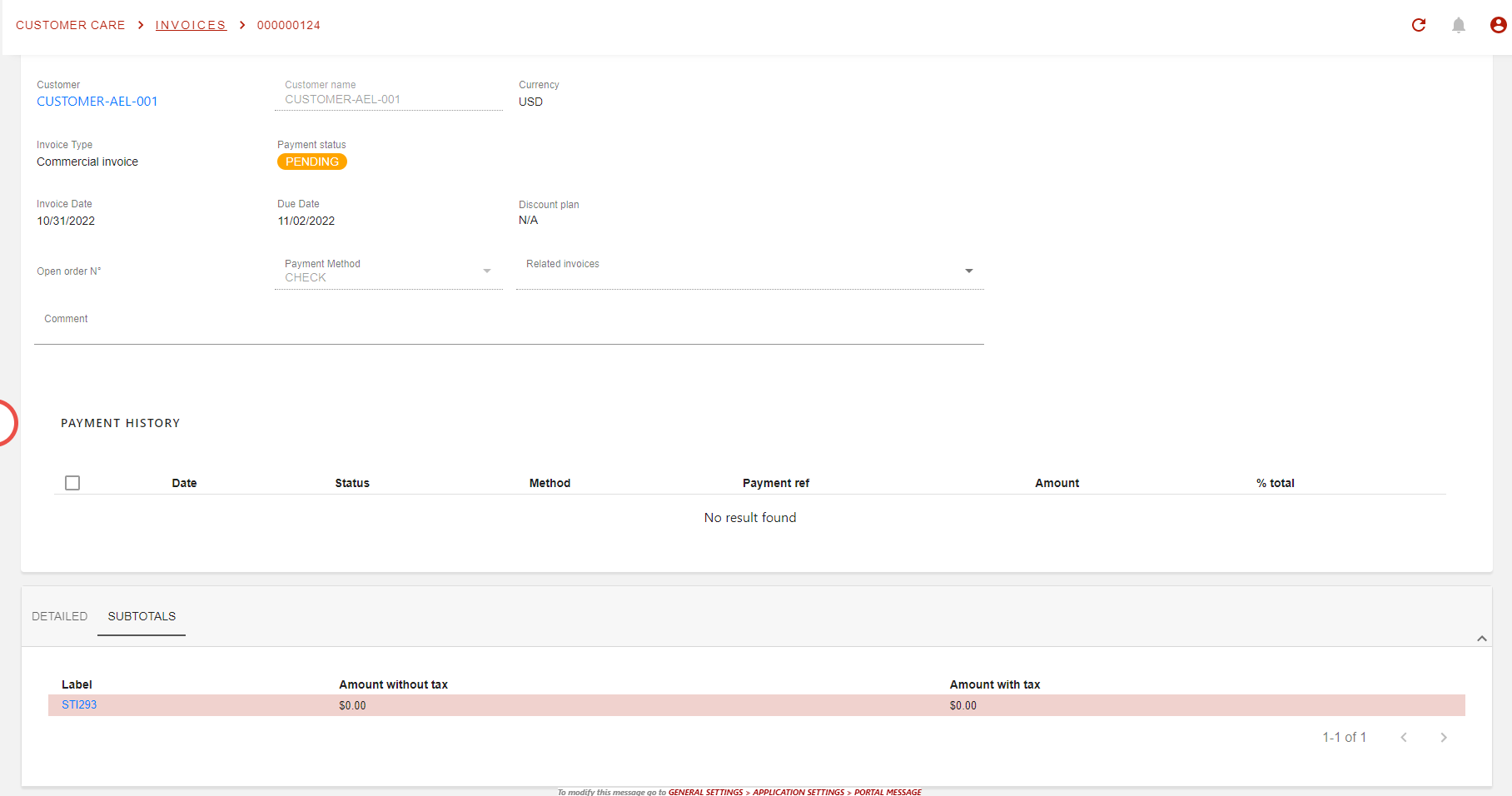
There is a new tab in the invoice page, next to Detailed tab where all invoice lines are visible as usual.
Also, the xml version of the invoice will also display the linked subtotals via a new block in an annexe.