
A user account is the lowest level of your customer hierarchy: it represents the user of the service. The User accounts list shows all your user accounts.
To open the list, go to Customer Care > User accounts. If this entry is missing from the menu, it is hidden by the Navigation Panel setting, in the Customer Hierarchy section of Application settings > Features management.
User accounts list
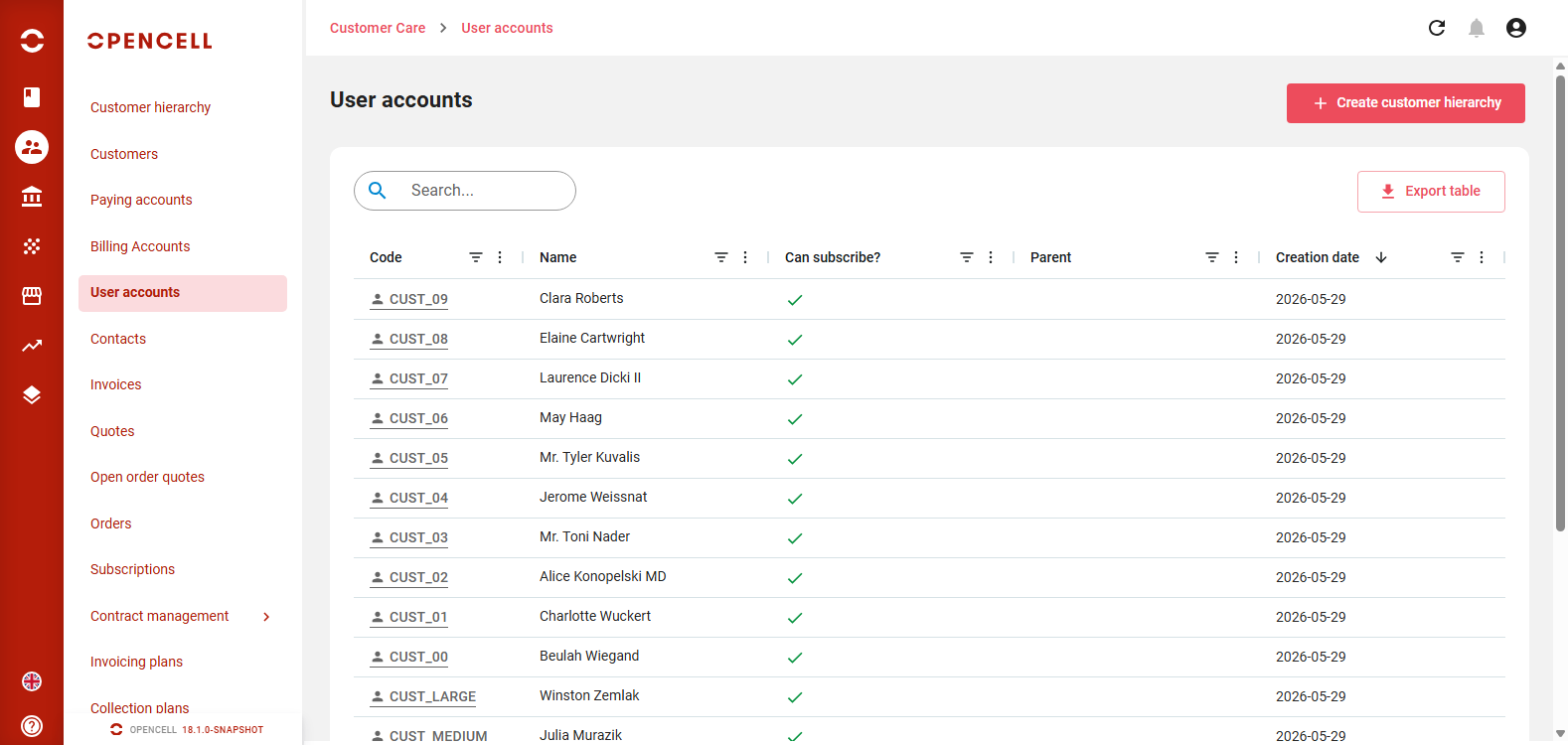
Each line is a user account. The list shows these columns:
-
Code
-
Name: the description for a company or a government body, the first and last name for an individual
-
Can subscribe?: a check mark means the user account can hold subscriptions
-
Parent
-
Creation date
You can also show these columns: Account type, Address line 1, Postal code, City, Country, Registration N° and Status. The status is Active , Canceled , Closed or Terminated . You can sort and filter the columns, and move or hide them.
The list is sorted by creation date, newest first. Use the search bar to find a user account by code or by name.
From the list, you can:
-
Click Create customer hierarchy to create a new customer hierarchy.
-
Click Export table to download the list. Registration numbers are not exported.
-
Click a user account's code to open it.