
To configure the Dunning Module, start by accessing the settings page:
-
Log into Opencell.
-
Navigate to the Customer Care module from the menu bar on the left.
-
Go to Configuration → Dunning → Dunning Settings.
Dunning Modes
One of the most critical settings to define is the Dunning Mode, which determines how dunning policies are applied:
-
Invoice-Based Dunning (Available in V12 & V17): A separate dunning process is created for each overdue invoice. This ensures that each unpaid invoice follows its own collection path.

-
Customer-Based Dunning (Introduced in V17 - Dunning V2): Dunning is handled at the customer account level, consolidating all outstanding invoices under a single collection plan. This allows a global approach to overdue balances rather than treating each invoice separately.
Multi-Balances - Customer balances

By default, Invoice-Based Dunning is selected, as it was the only mode available in Opencell V12. However, with Dunning V2, you can now choose Customer-Based Dunning for a more comprehensive approach.
The definition of the dunning level—whether invoice-based or customer-based—must be set before configuring dunning policies, defining levels, action templates, and running dunning jobs.
Once there are ongoing collection plans (i.e., not in a final status such as unrecovered, recovered, or stopped), this setting cannot be changed. However, if no active collection plans exist, the setting can be modified.
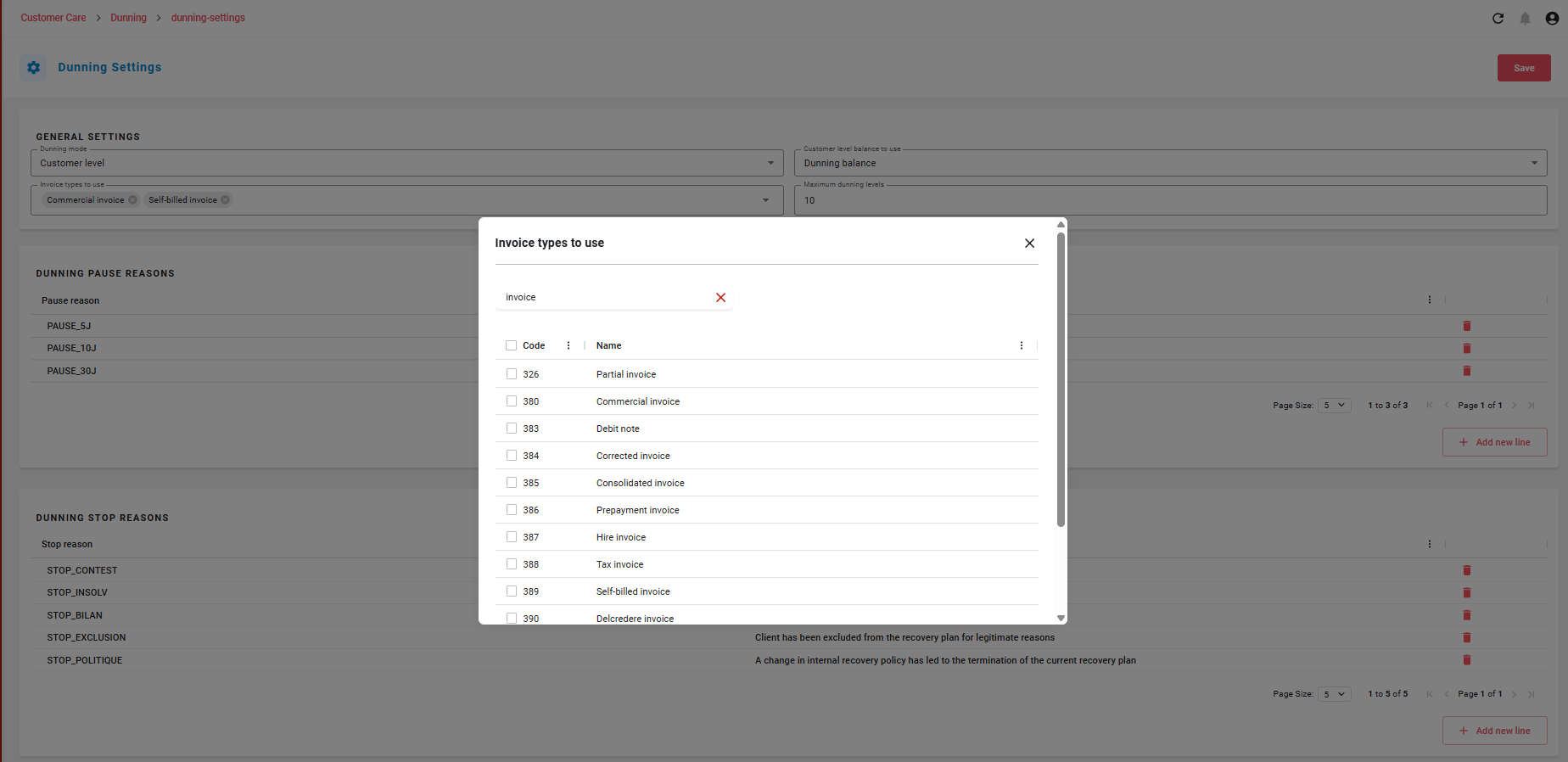
Invoice Types to use
By default, only the Commercial Invoice code type is selected. Other code types can be added, but at least one must always be selected to configure dunning levels. User can’t remove an invoice code type having ongoing or paused collection plan.
Additional General Settings
In addition to selecting a dunning mode, two key parameters further define the structure of dunning policies:
-
Customer Balance to Use: Defines the balance used in customer-based dunning. This balance is assessed for both the dunning entry and exit conditions and, by default, includes all unpaid and partially paid invoices of a customer account.
-
Maximum Number of Dunning Levels: Determines the maximum number of escalation steps (levels) a dunning policy can have.
With these settings configured, you can fine-tune dunning policies to align with your organization’s collection strategy and ensure efficient payment recovery. 🚀
… / …