
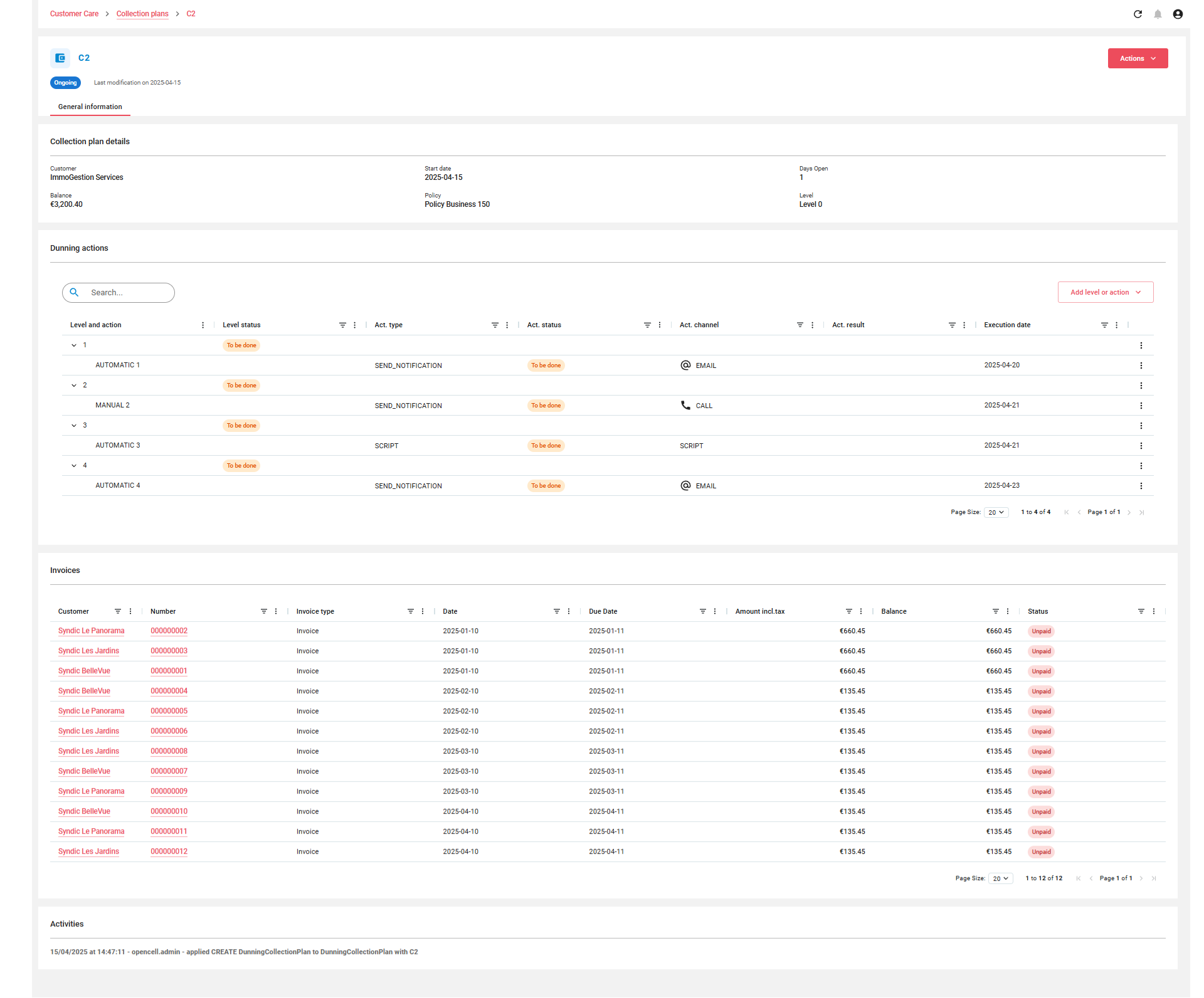
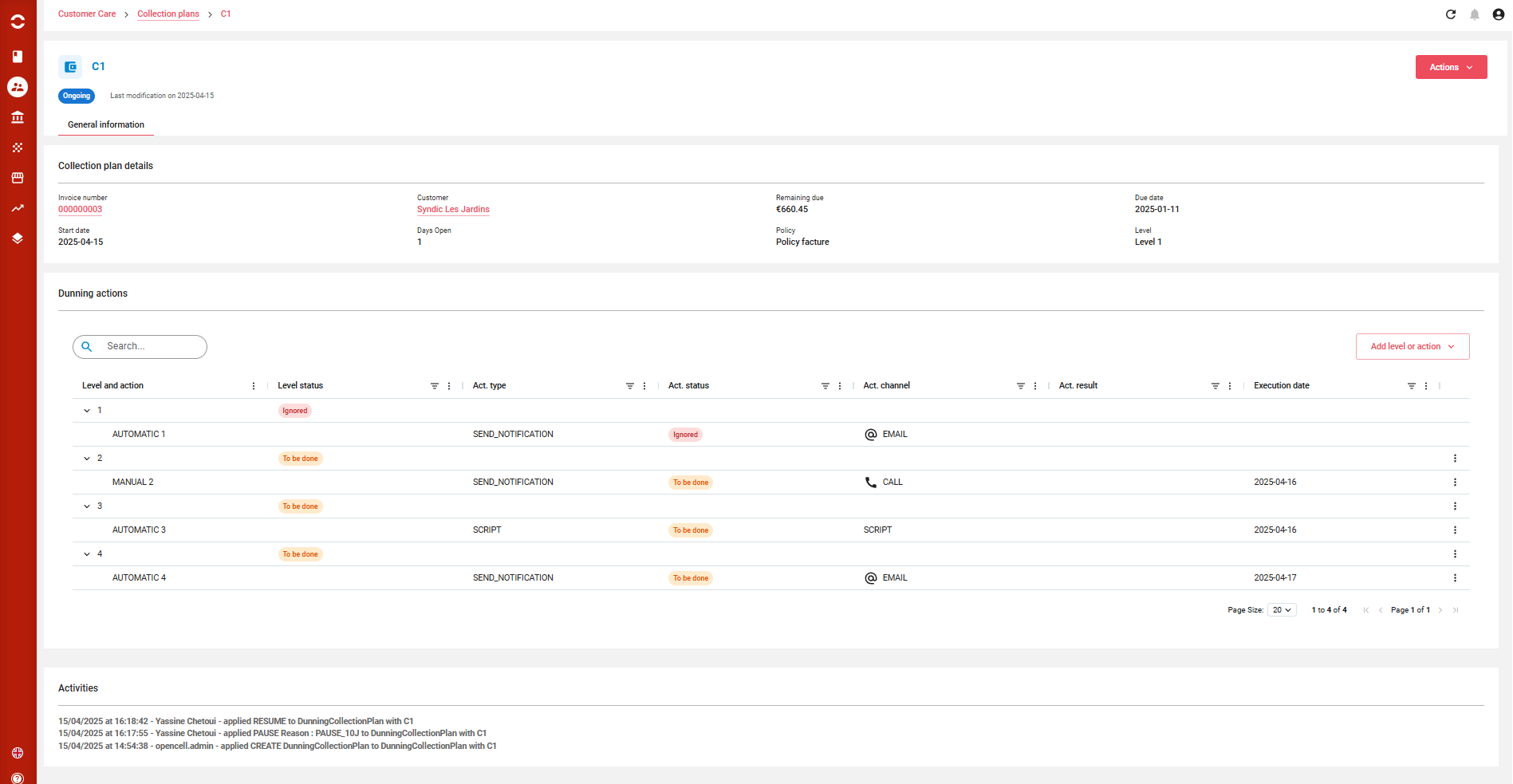
Overview of Collection Plan details
When a user clicks on a Collection Plan from the listing page, they are redirected to a dedicated details page that provides a full view of the dunning lifecycle associated with the selected customer or invoice.
This page presents:
-
The paying account link allows direct access to its detail page (in Dunning Customer mode).
-
The invoice link allows direct access to the invoice detail page (in Dunning Invoice mode).
-
The billing account link allows direct access to its detail page (in Dunning Invoice mode).
-
All instantiated levels of the dunning policy.
-
Associated actions (email, letter, call, script, etc.) for each level.
-
Execution status and planned dates for both levels and actions.
✏️ Level Controls
Each dunning level represents a stage in the recovery process. For each level, the following actions are available:
-
Edit Level: Change the execution date.
-
Delete Level: Permanently remove the level and all associated actions.
-
Add New Level: Insert a custom level into the collection plan if needed.
💡 This is useful for dynamic cases where additional intervention steps are required beyond the original policy design.
⚙️ Action Controls
Each action corresponds to a task to be performed (automatically or manually) at a given level. For each action, the following operations can be performed:
-
Edit Action: Modify action parameters, such as action result, status, or assigned users.
-
Delete Action: Remove an action from the level.
-
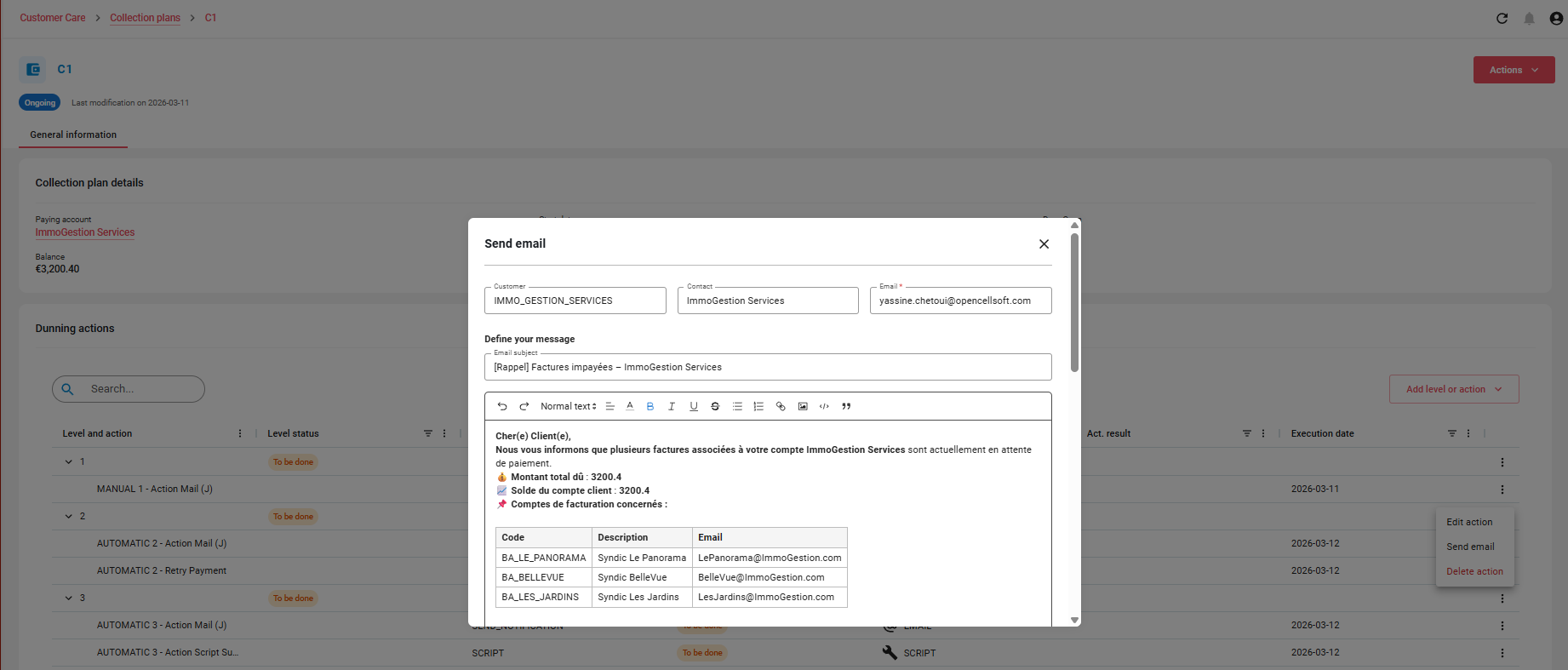
Execute Action (Manual Actions Only): Launch the action immediately, for example:
-
✅ Validate a phone call
-
📩 Send an email
-
🧾 Generate a letter
-
🔁 Retry a failed payment
-
🖥️ Run a script
-
⚙️ Actions Available (via Actions menu)
You can interact with each collection plan directly from the list view using the action menu. The following actions are supported:
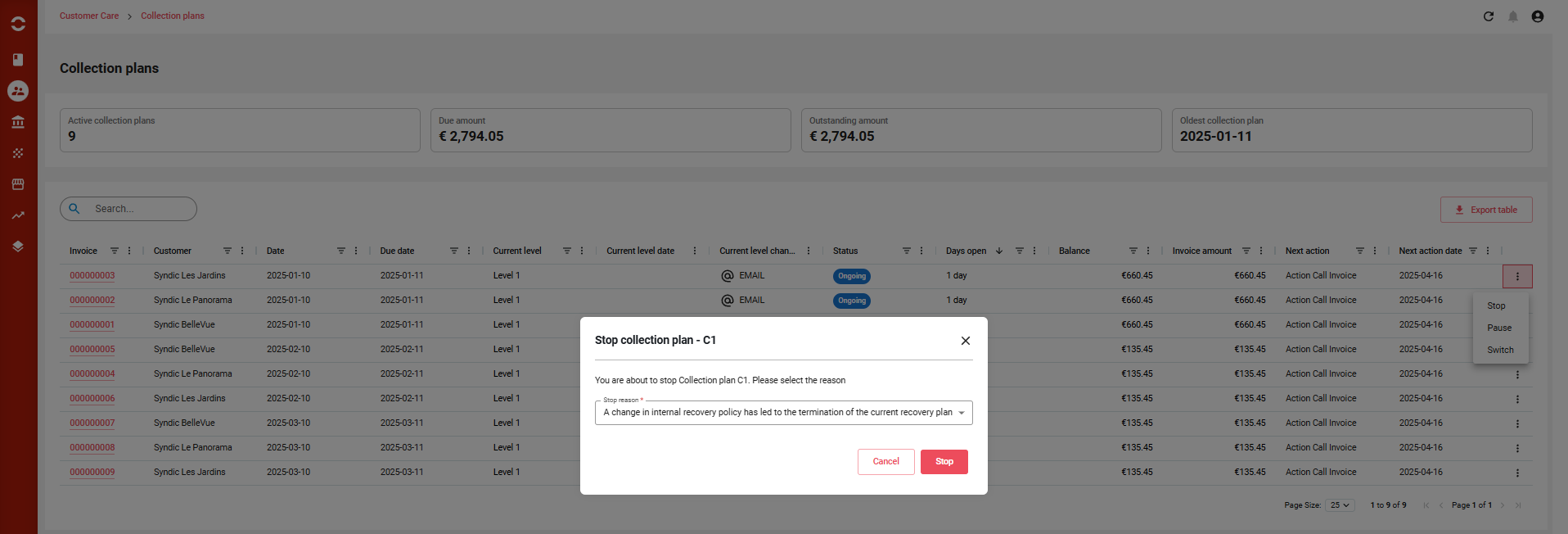
⛔ STOP Collection Plan
Purpose: Permanently terminate a collection plan.
-
All non-executed levels and actions are marked as IGNORED.
-
The CP is moved to a final status:
STOPPED. -
No further actions or status changes are allowed on this CP.
-
Typical use cases:
-
Manual override by the dunning manager.
-
Customer issue resolved outside of system workflow.
-
🟠 Once stopped, the CP cannot be resumed or edited.
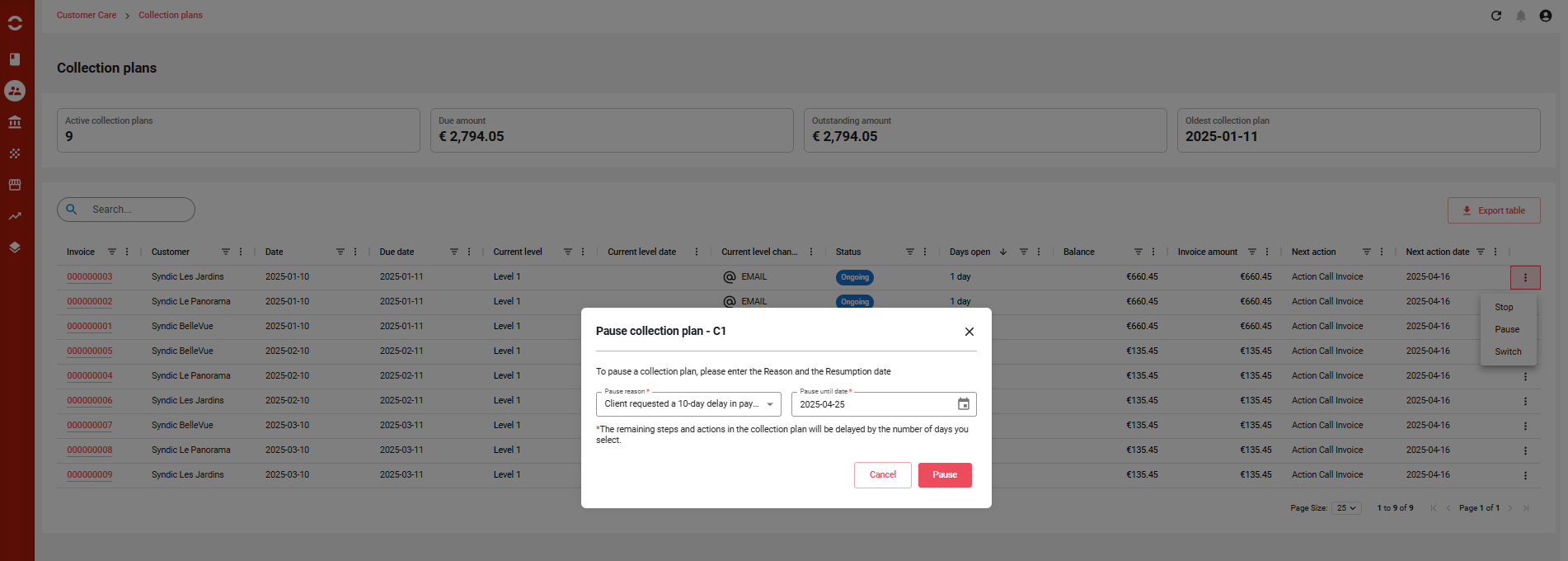
⏸️ PAUSE Collection Plan
Purpose: Temporarily suspend the execution of a CP.
-
The user selects a resume date.
-
All remaining levels and actions are postponed by the duration of the pause.
-
While paused:
-
The CP enters
PAUSEDstatus. -
No actions can be executed (manually or automatically).
-
-
The pause ensures sensitive cases can be held without losing scheduling accuracy.
🔄 Execution resumes via user action or the
ResumeDunningCollectionPlan_Job.
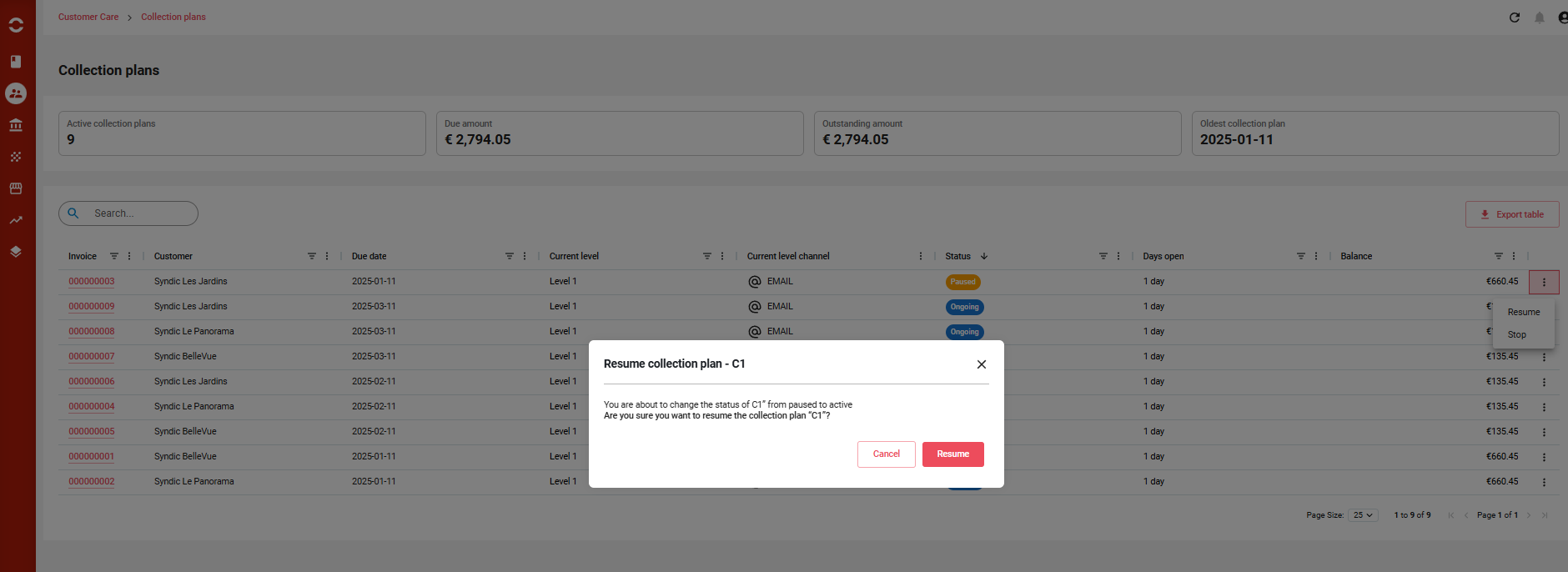
▶️ RESUME Collection Plan
Purpose: Restart a paused collection plan.
-
Execution dates of all pending levels and actions are recalculated from the resume date.
-
If resumed before the scheduled resume date:
-
Execution starts from current date.
-
All remaining levels/actions are shifted accordingly.
-
-
The CP re-enters
ONGOINGstatus.
✅ Ideal for re-engaging with the customer once the pause reason has been resolved.
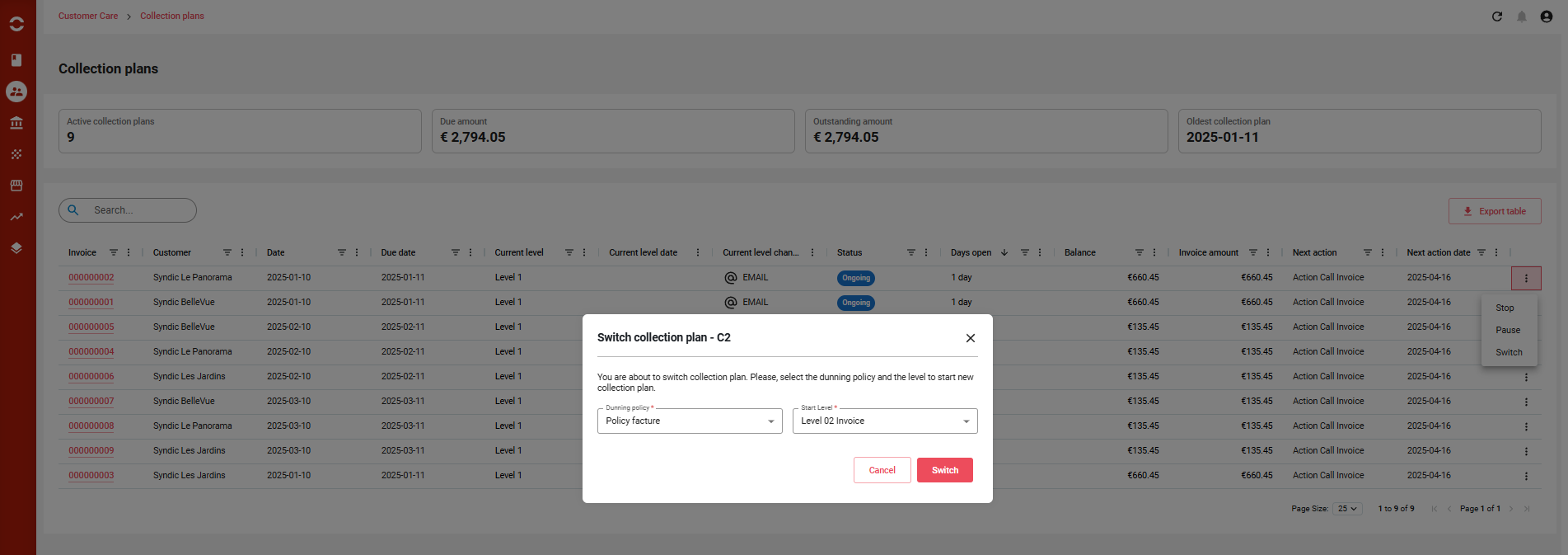
🔁 SWITCH Collection Plan
Purpose: Replace the current policy with a different dunning policy.
-
The user selects:
-
A new dunning policy.
-
A start level within the new policy.
-
-
Once confirmed:
-
The current CP is stopped, and its remaining levels/actions are ignored.
-
A new CP is created using the selected policy and level.
-
-
This allows adapting the dunning strategy mid-course:
-
Escalating to a more aggressive policy.
-
Switching to a softer approach for VIP customers.
-
⚙️ This action provides strategic flexibility without losing historical traceability.
✅ Summary Table of Actions
|
Action |
Description |
Resulting Status |
Notes |
|---|---|---|---|
|
STOP |
Ends the CP permanently and ignores all remaining steps |
STOPPED (final) |
Cannot be resumed |
|
PAUSE |
Freezes the CP temporarily until a chosen resume date |
PAUSED |
All pending steps postponed by the pause duration |
|
RESUME |
Reactivates a paused CP and recalculates all remaining execution dates |
ONGOING |
Can be triggered manually or by scheduled job |
|
SWITCH |
Ends current CP and starts a new one using a different policy and start step |
OLD = STOPPED / NEW = ONGOING |
Keeps full audit history & improves policy agility |