
On this page we are going to present the Contacts tab in the Customer 360° view.
Contacts
Opencell now manages contacts that are the people linked to your Customers and with which you are n contact for daily activities.
In the Contacts tab you will see all linked contacts displayed in a list view. A
At the top left corner of the tab is a search bar. It will allow you to search seamlessly on the contact’s full name, cell number and email.
At the top right corner of tab are two buttons.
:filter: button to search that gives out the following options:
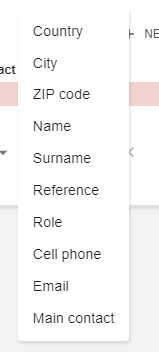
And a NEW button. To see what happens next, check below 😉
Contact creation
You will directly arrive on this creation page:
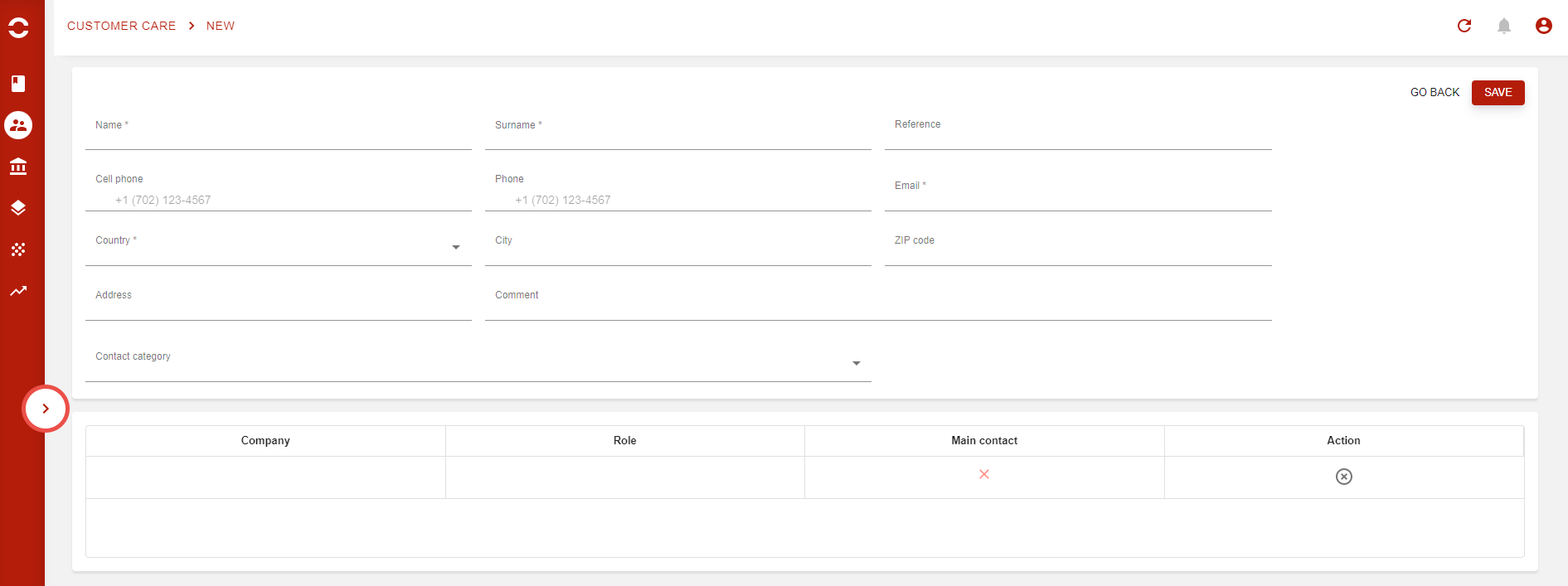
A few fields are mandatory here as Name, Surname, Email, Country and Company.
Other fields are not mandatory, but can come in handy to go s step further like Comment field or the Contact category field.
This field allows you to define existing categories to a single contact, like decision maker, or Power user, Signature power…
Contact categories are managed in General settings app → Customer settings → Contact categories. There you will find the Contact category creation page.

For now, these categories are highly simple: just a category name (yeah, no category codes 🥳 ).
You can search for a specific via the search bar at the top left corner, and create new ones via the :plus: button.
Last tip: The exact same feature is available from the actual Contacts page in the Customer Care app!