
On this page we are going to see… (did you guess already?) The Open orders tab from the Customer 360° view 😎
Open orders tab
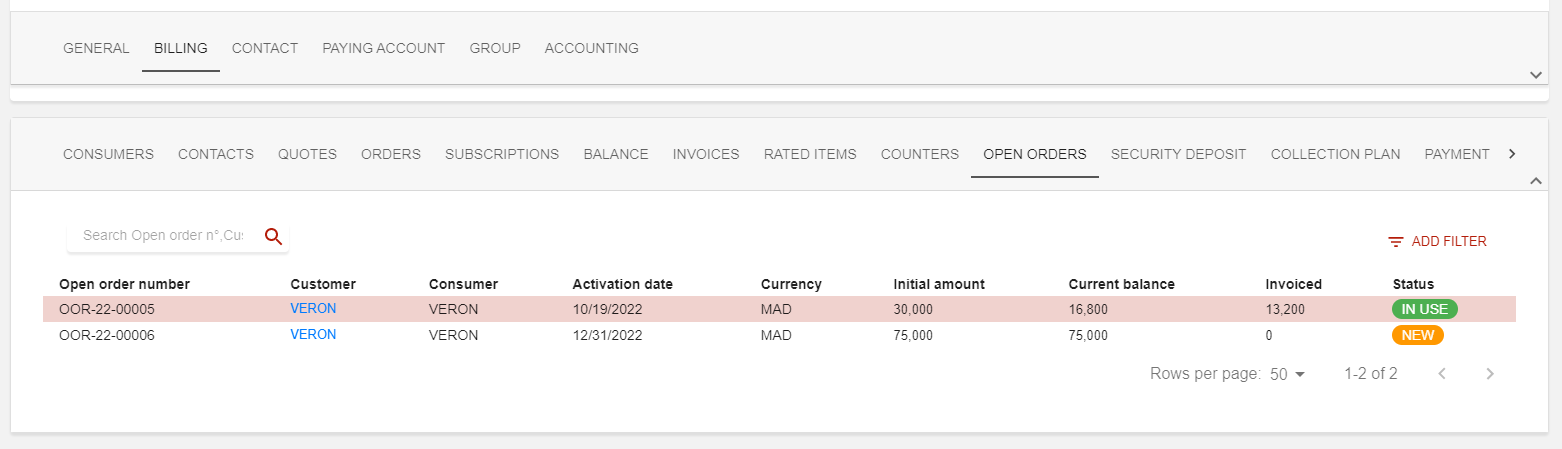
Open orders (OOs) is an activable feature in Opencell, which means the tab in the 360° view is only visible when the feature is activated. To learn more about this feature, you can check out Open orders
This tab is a list view of all OOs linked to the customer, regardless of there status.
At the top left corner is a search bar on which you can search seamlessly on fields like OO n° or Customer.
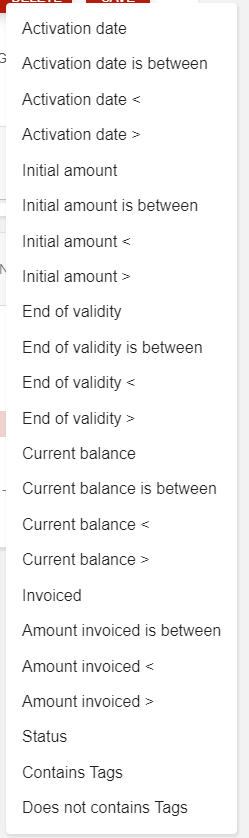
The :filter: button on the top right corner will give you access to a large variety of filters, as you can see below:
As OOs are created after the validation of an Open order quote, you will not be able to create any from scratch from this tab.