
On this page we are going to present the Invoices tab present in the Customer 360° view.
Invoices tab
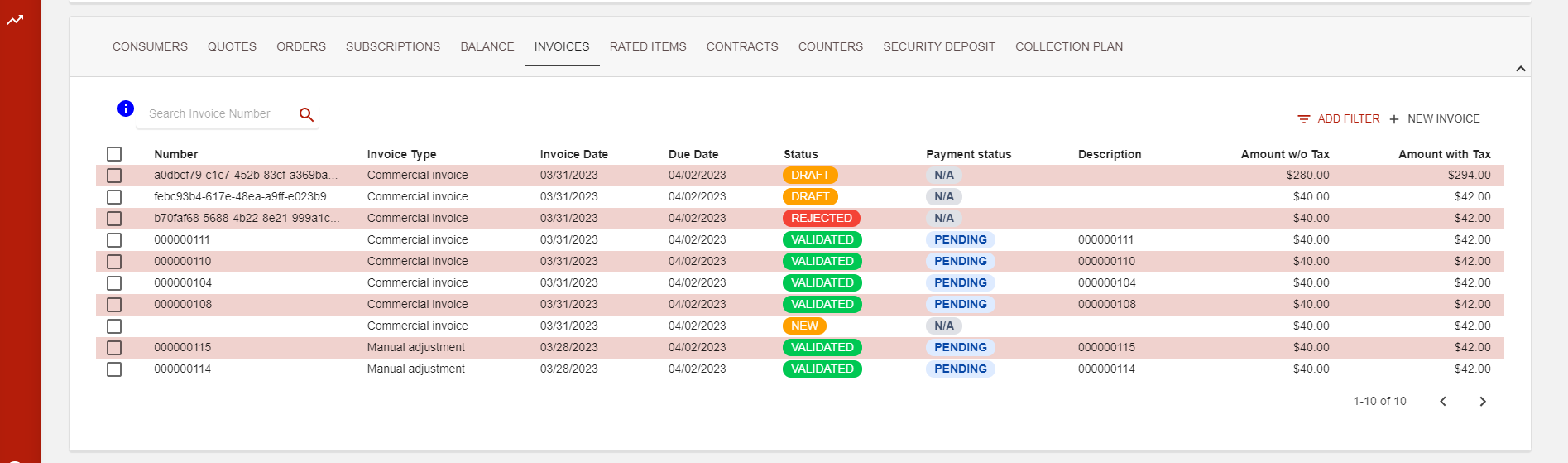
This tab lists all the invoices linked to your customer regardless of their status. You can easily search through the list view using the search bar with the invoice number.
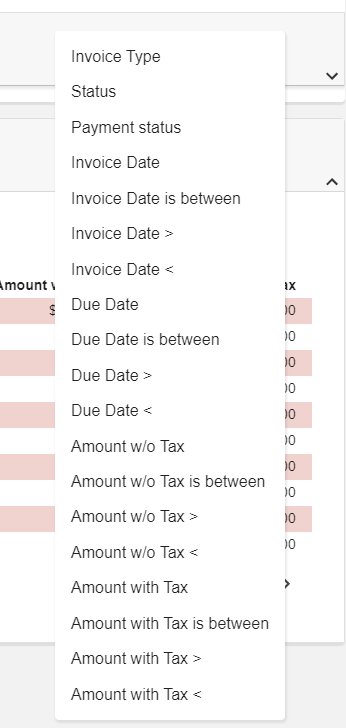
You will also find a :filter: button at the top right corner with quite a number of options available
Extra features
From this tab, you can create a new invoice simply by hitting the NEW INVOICE button. Check out the following page to see more Invoice management .
You will also be able to select invoices with a Paid status for un-matching processes, directly from this view.